

Quick Summary: We’ve tested every RDP provider that accepts UPI payments in India. You’ll find the top-ranked providers which are QloudRDP, YouStable, & SkyServer with instant activation where UPI payments are accepted. We’ve compared the plans side by side and answered some of your most common questions.
Have you ever needed an RDP server urgently but got stuck on the checkout page as it only accepts a credit card? You already know which plan you want, but you are still searching for another payment method.
Many RDP users in India face this common problem and prefer paying through UPI because it’s quick and available in seconds. They need to set up their remote workspace or need to run automation from anywhere, but the lengthy checkout process becomes a roadblock.
So Indian users prefer UPI for RDP purchases, as it’s quick, reliable, and available in seconds. Just complete the payment and get your RDP details instantly.
Here, we’ve tested the best RDP with UPI payment in India that let you pay easily. With a simple QR code scan, you can complete your payment in seconds and get your RDP activated instantly.
This removes payment delays that can make your RDP lag unnecessarily and make you wait.
- Why Indian users prefer UPI for buying RDP?
- What to look for in an Indian RDP?
- 3 Best RDP with UPI Payment in India
- Quick Comparison Table
- How to Buy RDP with UPI?
- UPI vs. Card vs. Crypto for RDP: Which should You use?
- Common Problems when Paying for RDP in India & their Fixes
- Conclusion
- Frequently Asked Questions
Why Indian users prefer UPI for buying RDP?
Indian users prefer paying for RDP (Remote Desktop Protocol) services through UPI because they want a payment method that is quick and reliable at the same time.
Most of the users already use UPI for their daily digital transactions, so they expect the same convenience when purchasing RDP services.
Let us see some of the major reasons and understand them better.
- Instant Payments: UPI transactions complete within seconds, letting users purchase RDP services instantly; there is no waiting for bank processing or manual verification.
- No credit/debit card required: Users can pay directly from their bank account using a UPI ID or QR code, eliminating the need for entering the card details with no time wastage.
- Widely used and trusted payment method: UPI is India’s most popular digital payment system. making users comfortable and confident using it for RDP purchases.
- 24/7 availability: UPI works all the time, including weekends and public holidays, so payments confirm instantly and your RDP orders process faster.
- Convenient mobile-first use: Most Indian users already have UPI apps like PhonePe, Paytm, and GPay, completing payments in just a few taps.
As digital payments are growing in India, UPI remains the preferred payment method for many customers seeking a simple and efficient way to purchase RDP services.
What to look for in an Indian RDP?
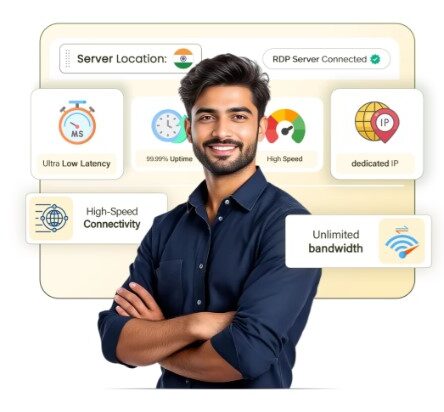
Paying with UPI is quick, but it’s not the complete picture. Most of the people searching for an “Indian RDP” are not just looking for a UPI option; they want something that actually works well for their day-to-day RDP needs.
Here are some of the major things you can check beyond just the payment method.
1. Mumbai / India Datacenter
Every time you buy IRCTC RDP server, data has to travel between your device and the server. If the server is sitting in the US or Europe, your commands take longer to reach it and longer to come back, resulting in lags or slow loading.
But a server based in Mumbai (or anywhere in India) cuts that distance, giving you lower latency and a smoother experience. It also matters, as some Indian websites like IRCTC and government portals easily recognize Indian IPs.
Using a foreign server can trigger extra verification with slow loading, so an Indian datacenter avoids this while keeping latency low for time-sensitive tasks like Tatkal bookings.
2. INR Pricing with No Forex Markup + GST Invoice
Many RDP providers price their plans in dollars, even if you’re paying with your cards like Mastercard, RuPay, Visa, or UPI International. That means your bank quietly adds a currency conversion charge, usually around 1-3% as per ICICI/HDFC forex rates. Over months of billing, that adds up.
But when any provider prices in INR from the start, the amount you see is the amount you pay with zero hidden surprises.
If you’re using RDP for business purposes, the GST invoice also matters, as you would need a real invoice to claim it as an expense and request any refund; otherwise, you’re just stuck with a payment screenshot, which is not accepted by most companies as proof.
3. Full Admin Access & NVMe Storage
Some cheaper or managed RDP plans restrict what you can actually do, like you can’t install certain software or change the system.
So having RDP with full admin access or root access is important since it removes all these limits completely, so your server behaves like a computer you fully own and control. It matters for developers or anyone running specialized software that needs deeper system permissions.
NVMe storage is separate but equally important; it’s a much faster storage technology than the older SSD or HDD types. So a combination of the two means your apps open faster and you can transfer files quicker.
4. Hindi + English 24/7 Support
When your RDP goes down, you usually need help immediately and not a “we’ll get back to you in 24 hours” reply. Support that’s available around the clock means someone’s actually there, even at 2 AM.
Along with support in Hindi (alongside English), it removes the friction of trying to explain a technical problem in a language you’re not fully comfortable with; you can describe exactly what’s wrong.
Together, these two things, availability and language, mostly divide how fast your problem gets solved, not just how fast someone replies.
3 Best RDP with UPI Payment in India
Once you know what to look for in an Indian RDP, the next question is simple: which providers actually deliver your expected outcome?
Below are the three options worth considering; each one is suited to a different kind of user, no matter if you want a solid choice that’s a dedicated Indian RDP or the lowest possible entry price.
1. QloudRDP – Best Overall
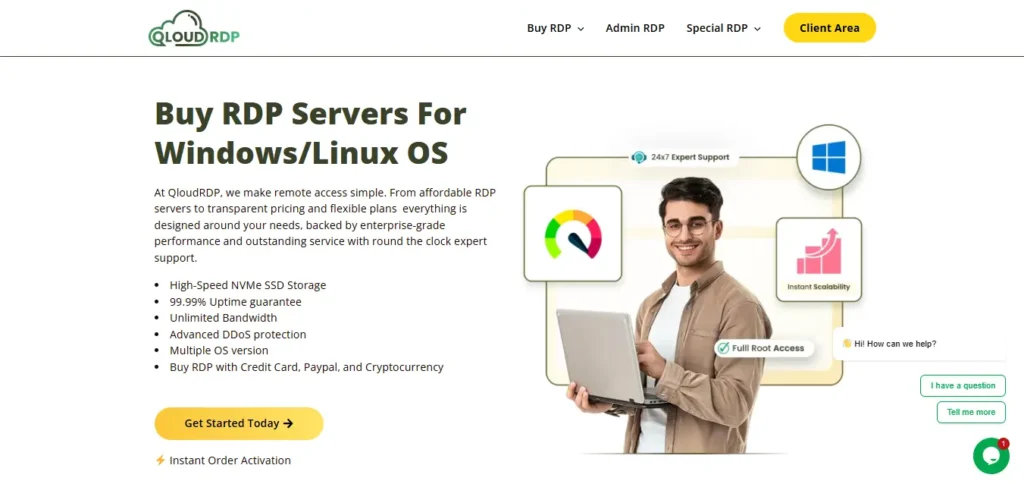
QloudRDP is perfect for users who want everything sorted in one place; you get a fast setup with easy deployment and multiple payment methods.
It accepts UPI alongside cards, net banking, and crypto, and you get admin access with NVMe storage. Your server is activated instantly after payment and delivers lower latency.
2. Youstable – Best for accepting UPI payments & 24/7 Hindi support
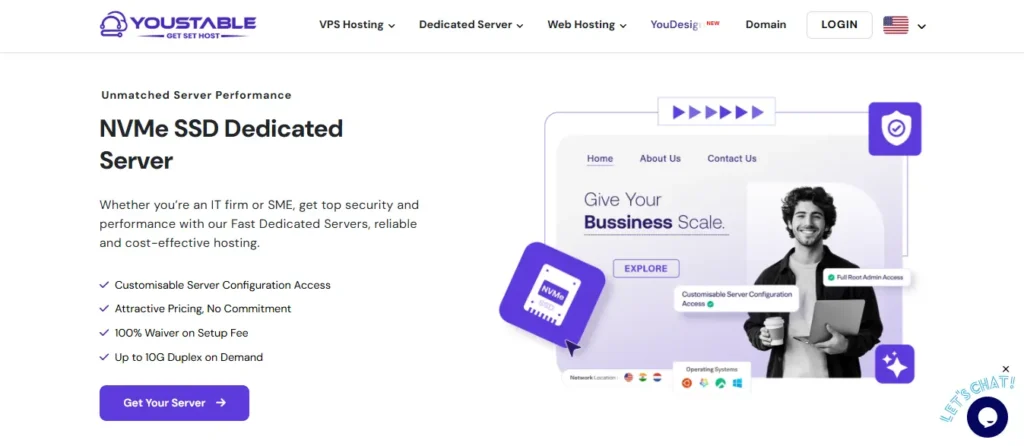
Youstable is for users who prioritize a smooth, local-first payment and support experience over anything else. It offers UPI and GST invoices and Hindi and English support for users.
Youstable offers a 30-day money-back guarantee, so if you’re not happy, you don’t compromise on the money part. It’s a smart choice if you desire low-friction billing and quick help with no language barriers.
3. SkyServer – Best Budget option
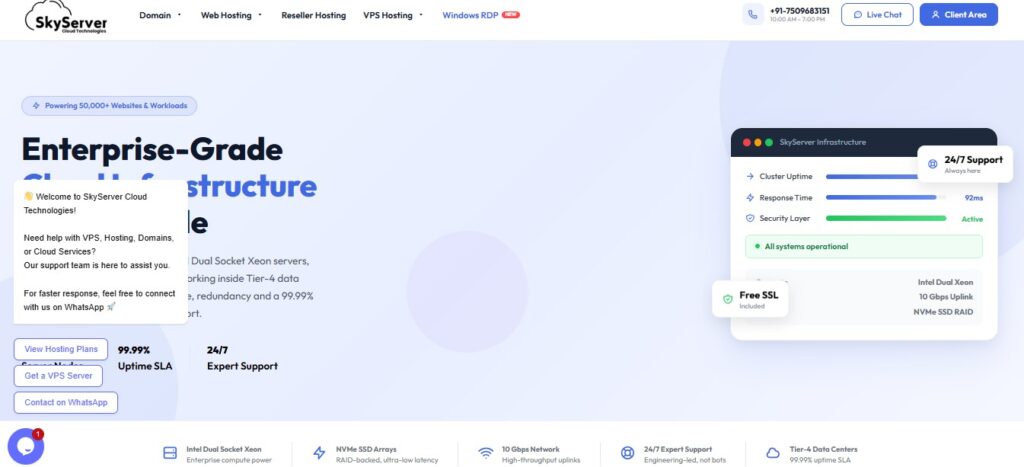
SkyServer is best for users who are cost-conscious and just need a functional RDP where they don’t have to pay extra. It’s an amazing budget-friendly option for students and beginners.
Pricing is low, but they don’t compromise on performance. You get a cheap India RDP with a 99.99% uptime guarantee, and their servers deliver good performance with a dual-socket Intel Xeon with NVMe storage.
Quick Comparison Table
Now you know what each provider is best suited for; here’s a quick side-by-side comparison of the best RDP providers with UPI payment. We’ve compared their payment options, server location, and starting price so you get a clearer picture before deciding.
| Provider | UPI/Paytm/PhonePe | India Location | Starting Price (₹) |
|---|---|---|---|
| QloudRDP | Yes | Mumbai | ₹963/month |
| Youstable | Yes | Mumbai | ₹1014/month |
| SkyServer | Yes | Mumbai/Delhi NCR | ₹49/month |
That’s a quick comparison. While all three accept convenient payment options that let you buy RDP server with PhonePe or with any UPI at ease and cater to Indian users, the right pick still comes down to your specific need.
Note
Always verify current pricing directly on each provider’s official website before purchasing. Providers frequently update plans, introduce promotions, or adjust rates based on market conditions.
How to Buy RDP with UPI?
Here we’ll give easy and simple steps so that you can buy an RDP server with PhonePe or using multiple other UPI options. Just follow through it, and you’ll understand easily.
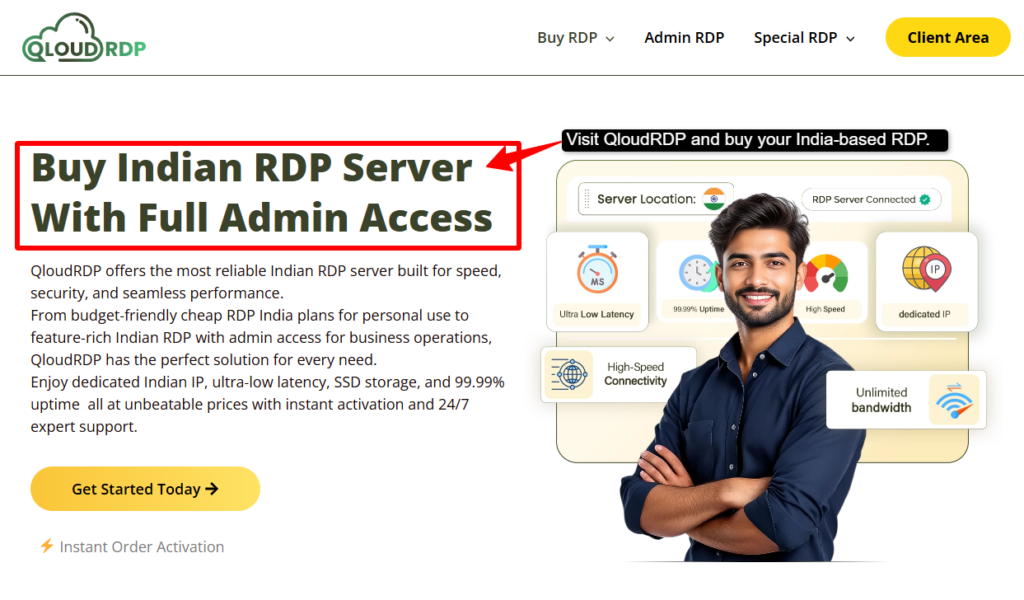
- Step 1: Visit the official website of QloudRDP >> Scroll down and go to the RDP plans.
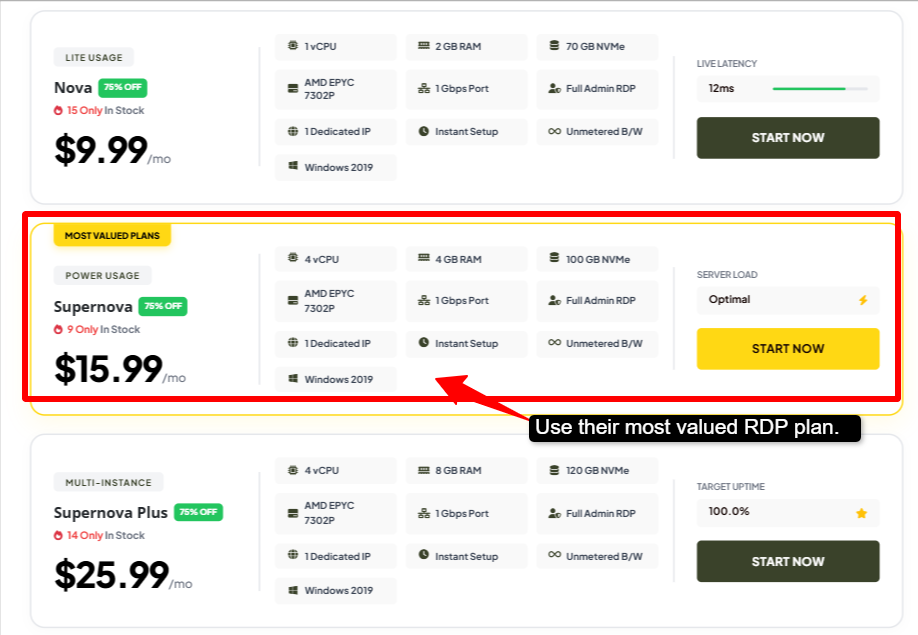
- Step 2: You’ll see their most valuable plan (Supernova) with all the specs mentioned clearly >> You can choose this plan.
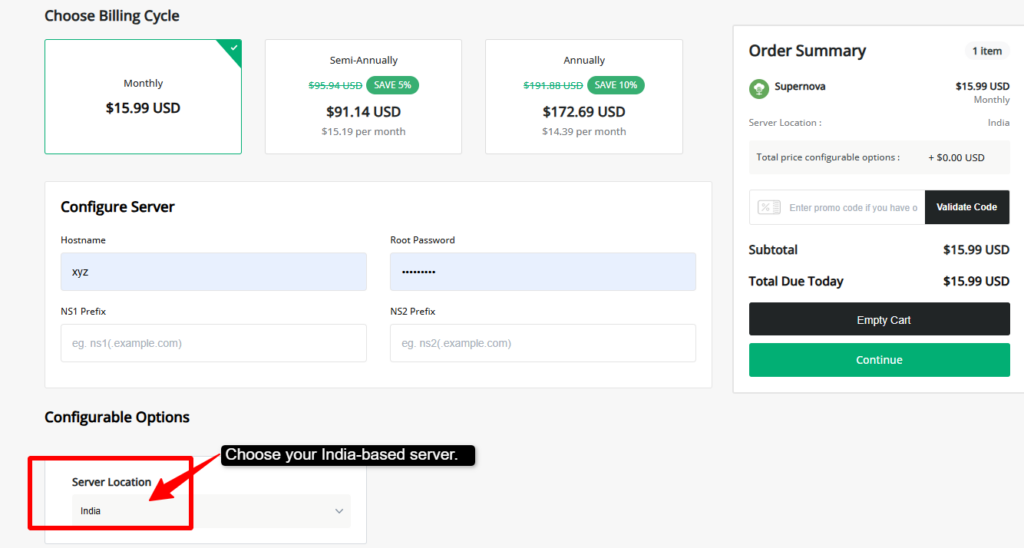
- Step 3: Once you choose the plan >> You will land up on their review and checkout page >> Change the server location here too (India).
- Step 4: Create an account or log in with your details >> Proceed to checkout and review your order summary.
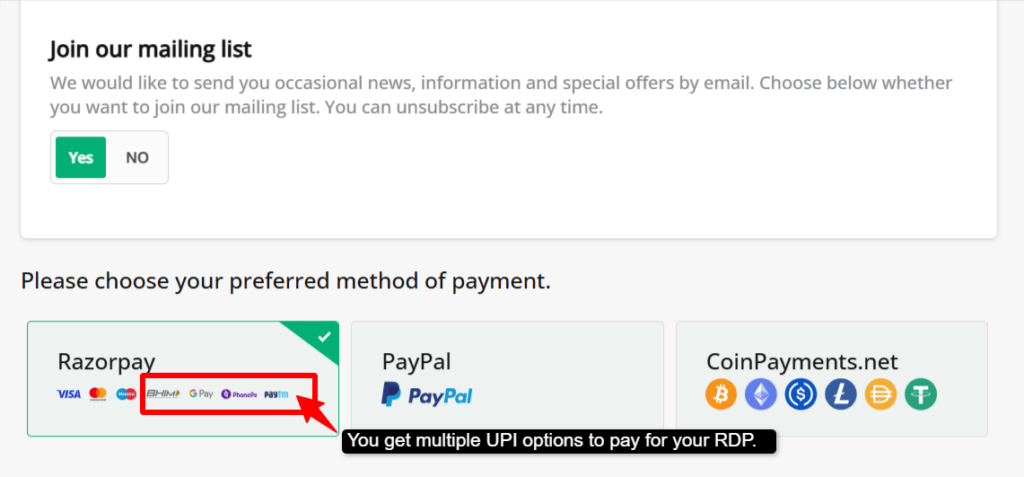
- Step 5: Select UPI as the payment method >> Scan the QR code or enter your UPI ID >> Approve the payment through GPay, PhonePe, or Paytm.
- Step 6: Once your payment is done >> Wait for confirmation >> You will receive your login credentials from QloudRDP (IP, username & password). >> Use these login details and activate your RDP server.
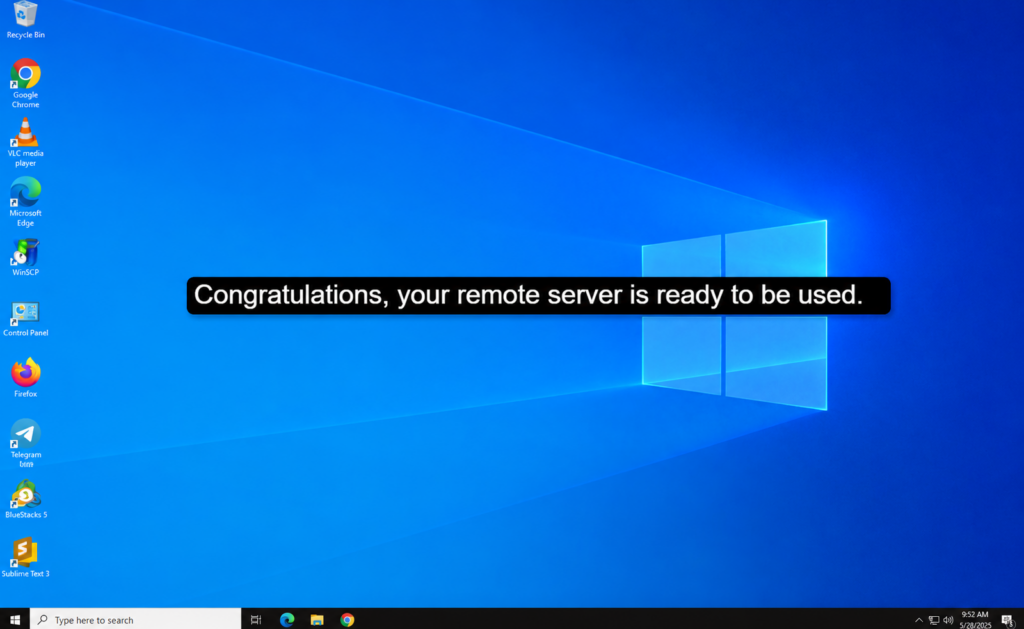
That’s really all you need to do. Just with instant payment confirmation, you’ll have your remote server ready to be used.
Keep your confirmation email and credentials somewhere safe, and if delivery takes longer than expected, don’t hesitate to reach out to the support team directly.
Quick Tip
Keep your payment invoice and confirmation email safe with you after checkout, in case you need it for support or a refund request later.
UPI vs. Card vs. Crypto for RDP: Which should You use?
Every payment method has its own pros and cons; some are faster and safer, while some even work better in certain countries.
UPI, card, and crypto are the three main ways to pay for an RDP, and knowing how each one works can help you pick the right one as per your needs.
- UPI = instant + no markup (India)
It’s mainly for users in India; UPI is usually the best choice. Payments happen instantly through different apps like GPay, PhonePe, and Paytm; since it stays within India, there are zero extra currency conversion charges.
Your remote server is also ready almost right away when you complete the payment, as you don’t need to wait for your bank approval.
- Card = global but high decline risk
Credit or debit cards work in almost any country, so they’re useful if you’re outside India or the provider you choose doesn’t accept UPI.
But the problem is that cards get declined more often, and even banks sometimes block RDP purchases because they look risky, and with foreign cards, you may need to give extra OTP or verification steps that can slow things down for you.
- Crypto = privacy
Paying using Bitcoin or USDT is good if you want privacy or don’t want your payment to get linked to your bank account.
It is commonly accepted for RDPs, but if something goes wrong, you usually cannot get your money back. You don’t get any kind of refund policy as you get with cards or UPI.
So, if you’re in India and want speed with zero extra fees. UPI is the easiest choice. If UPI isn’t available, cards could be your backup option, and if privacy is your focal point more than anything else, even more than your refund, then crypto is the best way.
Common Problems when Paying for RDP in India & their Fixes
Paying for a remote server sounds easy and simple, but Indian users often run into a few recurring issues. Like your card won’t go through, you get a surprise fee on the statement, or your server takes hours to show up.
None of these issues is unusual, but most of them do have a quick and easy fix once you know what’s causing them.
- Card declined: This usually happens because banks flag RDP purchases as high-risk, since the category is sometimes linked to fraud. It can also happen if your card is not enabled for international transactions or if the provider is based overseas.
Fix: You can use UPI instead wherever it’s possible or call your bank to enable international e-commerce transactions on your card before trying again.
- Forex Charge: If your provider bills in USD or another foreign currency, your bank automatically adds a conversion fee with the actual price.
Fix: Choose a provider that bills directly in INR, as this can avoid the markup charges completely and makes the price you see the price you pay.
- Delayed RDP Delivery: Sometimes it happens that payment goes through, but the server credentials don’t arrive for hours or even longer. This is usually due to manual verification, provider-side backlogs, or because of weekend/holiday gaps.
Fix: Always pick a provider that is known for instant or near-instant activation and also check their reviews for delivery speed before purchasing. If delivery is taking unusually long, contact their support team directly rather than waiting.
None of these problems means RDP buying is unreliable; they are just common friction points tied to payment method and provider choice.
So, keep in mind that always choose a provider with INR pricing, UPI support, and a platform with a track record of fast delivery that can easily avoid any of these issues before they come up.
Conclusion
UPI has made buying an Indian RDP genuinely simple for users, with fast payments, zero fees, and quick setup with the right provider. But UPI is just the payment layer; the fact that really shapes your experience is the provider itself, with datacenter location, pricing transparency, and support quality.
Keep the essentials in mind, like INR pricing with GST invoicing, an India-based data center for low latency, full admin RDP with UPI and reliable Hindi/English support.
This helps you avoid common problems like card declines and delayed delivery as with UPI you just scan the QR code and make your payment. Its done in few minutes.
A good RDP purchase comes down to a little homework. Check genuine reviews and server location, and make sure UPI checkout comes with a proper invoice and responsive support, because those are what make the difference.
Choose UPI today and make your RDP purchase easy.
Frequently Asked Questions
Can I buy RDP with UPI without a credit card?
Yes, UPI works directly from your bank account through apps like GPay, PhonePe, or Paytm. You don’t need a credit card at any point. Just scan the QR code, enter your UPI ID, and approve the payment from your phone.
Is UPI payment for RDP safe?
Yes, UPI itself is a secure, RBI-regulated payment system with two-factor authentication (your UPI PIN). The real safety factor is choosing a legitimate provider and sticking to ones with a proper website, GST invoicing, and transparent contact details rather than sellers who only operate through Telegram or personal UPI IDs.
Do I get a GST invoice?
Yes, reputable providers always issue one automatically after payment, usually sent to your email or available in your account dashboard. If you need it for business expense claims, check before purchasing that the provider explicitly offers GST invoicing.
Which RDP has a Mumbai/India server?
QloudRDP and Youstable offer Mumbai or other India-based server locations. You should always confirm the exact datacenter location on the provider’s plan page before buying since “India Support” doesn’t always mean the server itself is hosted in India.
How fast is RDP delivered after UPI payment?
If you use the most reliable RDP provider, delivery is instant to a few hours. You’ll get your IP, username, and password via email once payment is confirmed. If it’s taking longer than a few hours with zero update, that’s usually a sign to contact the support directly rather than assuming it’s normal.
Can I pay with Paytm or PhonePe instead of UPI?
Yes, Paytm and PhonePe are UPI apps themselves, so paying through them is still a UPI transaction. You can also use their wallet balance in some cases, though UPI (bank-linked) is generally faster and doesn’t require pre-loading funds.







7 Comments