

Quick Summary: If you actively trade on Polymarket or Kalshi, you need a remote Windows setup (RDP) that stays online 24/7, so you can access your accounts anytime and keep your bots and automation running without any downtime.
We’ve compared the top 5 providers so you can pick the right one. Before buying, check the dedicated IP, admin access, and uptime guarantee you need to run your prediction market workflow smoothly.
Any big headline drops, someone tweets and within seconds, the odds on Polymarket or Kalshi changes. If your bot is offline or slow at that time, you miss your trade.
This is the big problem for prediction market traders. These markets move with world news media and social media at any hour, so your trades need to keep running all day and night, and not only when you are sitting at your computer.
So, an RDP completely solves this. It is a Windows server that stays 24/7 and is close to the exchange servers, keeping your bots running without stopping. You can even check your trades from your phone.
But not every RDP is good, so below we have given our top five picks. We have compared them on uptime, speed, dedicated IP, and admin access so you can choose the right one for your trading.
Our Top 3 Recommendations



- Our Top 3 Recommendations
- Quick Comparison Table:
- Why Prediction Market Traders Need an RDP? (Not a Home PC)
- Location Problem: Polymarket vs. Kalshi Needs Different Servers
- 5 Best RDP for Prediction Markets Reviewed
- What to Look for in a Prediction Market
- Best Server Location for Each Platform
- Recommended Specs by Strategy
- Risks and Rules to Know Before You Automate
- Frequently Asked Questions:
- Conclusion:
Quick Comparison Table:
If you want to pick the right RDP, it completely depends on your strategy, number of bots, uptime, and access.
The table below compares the five providers that work well for Polymarket VPS and Kalshi bots across different key factors:
| Provider | Best For | Location | Starting Price | Latency | Dedicated IP |
| QloudRDP | Complete balance with clean IPs. | 12+ global locations. | $12.99/month | Low ( 1 Gbps network) | Yes. |
| Contabo | Kalshi/Chicago latency on budget. | 11 locations. | $17.56/month | Moderate (Shared CPU) | Yes. |
| Vultr | Non-US Polymarket with event testing. | 33 locations. | $0.060/hourly | Low-moderate | Yes. |
| YouStable | Budget EU with US mix. | 3 locations. | $19.99/month | Moderate | Yes. |
| UltaHost | Multi-exchange arbitrage. | 31 locations. | $18.98/month | Low on dedicated tiers. | Yes. |
You can very well use this table to shortlist providers that match your platforms and strategy. Then you can test the latency from your chosen location and verify IP type before committing to any long-term plan.
Why Prediction Market Traders Need an RDP? (Not a Home PC)
Prediction markets never stop, so your trading setup cannot either. An RDP gives you continuous uptime, dedicated server resources just for running your trades, and the freedom to access it from any location you want.
An RDP gives you a dedicated, always -on Windows environment in a data center. Let’s understand the reasons more clearly.
When you have some serious prediction market trading, then an RDP is essential. It is the foundational setup that keeps your connections fast and in control when it counts.
Location Problem: Polymarket vs. Kalshi Needs Different Servers
Polymarket and Kalshi VPS run on different infrastructure and follow different rules, so one RDP location can rarely fit both.
Choosing the right server region matters because this factor decides if you can access the platform at all and how fast your orders reach the matching engine. Here is a clear table to understand their key differences.
| Category | Polymarket Geo-Blocks US IPs (You need a Non-US RDP) | Kalshi is US-regulated (You Need Chicago Proximity) |
| Regulatory Status | Global exchange; blocks restricted countries, including the US. | CFTC-regulated Designated Contract Market (DCM) in the US. |
| US IP access | Blocked at the API level (geo-block endpoint) | Fully allowed and aligned with its regulatory setup. |
| RDP location needed | Non-US (Amsterdam, Dublin, London) | Us (Ohio or Chicago) |
| Best RDP for latency. | Europe-based Servers. | Ohio-based RDP, or Chicago. If you also trade CME futures or use broker platforms. |
| VPN/Proxy risk | Can violate terms and risk account closure | It is not an issue with a US-based RDP. |
Your RDP location should follow the platform’s regulatory setup. If you trade both platforms, plan on running two RDPs in separate regions rather than trying to make one server do both job.
Running Cross-Exchange Arbitrage? You May Need Both
If you try to profit from price gaps between Polymarket and Kalshi arbitrage VPS, the RDP location will usually favor one platform and hurt the other.
You may end up with good access to one exchange but slow or blocked access to the other.
Note: Before adding a second RDP, test your ping and login from every location to be sure that you are not losing your edge to lag or hidden blocks.
If we tell you in simple terms, your RDP location is not just about speed; it also decides if you can use the platform at all.
For Polymarket, pick a non-US hub, and for Kalshi, you should pick a US hub near Chicago. If you trade both, design your setup with these rules in mind from the start.
5 Best RDP for Prediction Markets Reviewed
The right RDP will determine whether your trades execute smoothly or get stuck at key moments.
Below are five providers that deliver the best for prediction market traders, based on location options, IP quality, and admin control.
1. QloudRDP — Best Overall (Global Locations + Clean IPs)
QloudRDP offers an instant Windows environment with full admin access across 12+ global data center locations. You get an always- on remote server environment for your prediction market tools.
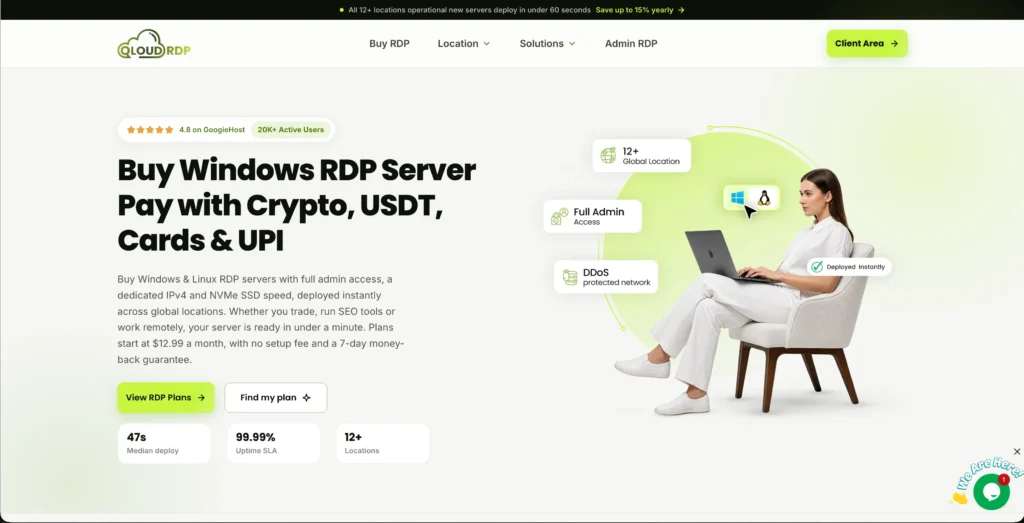
Each plan includes a dedicated IP address, NVMe storage, and unlimited bandwidth with 99.99% uptime, making it a strong all-around option for Polymarket, Kalshi, and cross-exchange bots.
Features
Here are the top features of QloudRDP for your prediction market:
Pricing
Here is the pricing of QloudRDP for you:
| Plans | Starting Price | Resources. |
|---|---|---|
| Nova | $12.99/month | 2 vCores, 4 GB RAM, 60 GB NVMe SSD. |
| Supernova | $23.99/month | 4 vCores, 8 GB RAM, 120 GB NVMe SSD. |
| Supernova Plus | $34.99/month | 6 vCore, 12 GB RAM, 180 GB NVMe SSD. |
Pros & Cons
Pros
- Wide global coverage.
- Strong uptime and support.
- Multiple payment options.
Cons
- Strict refund policy.
- Limited advanced trading features.
2. Contabo—Best for Kalshi/Chicago Latency
Contabo offers Windows cloud servers with full RDP access from 11 data center locations worldwide, including a US location that works well for Kalshi traders.
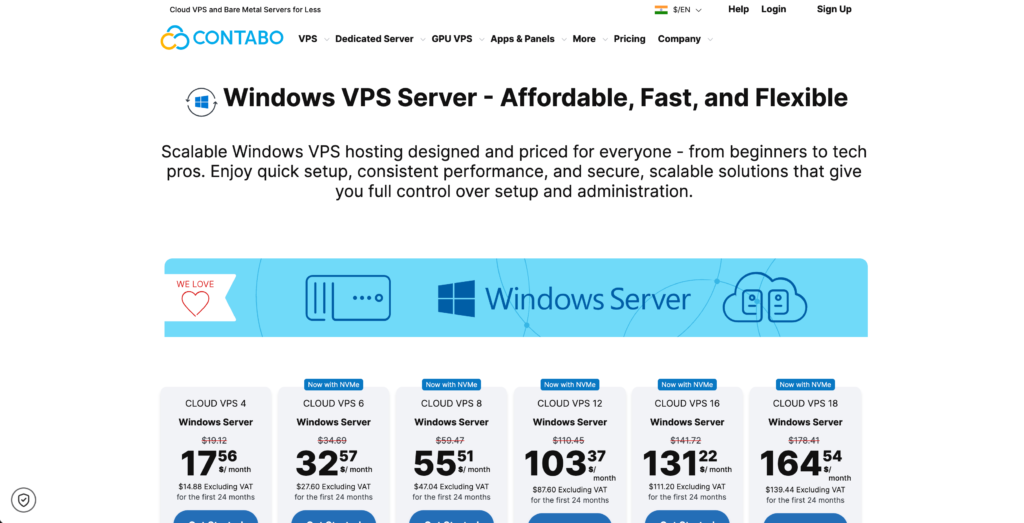
It has dedicated vCPU/RAM, unlimited traffic, and low prices. It is a complete, practical choice for your prediction market bots that need Chicago proximity on a budget.
Features
Note: Contabo does not have a Chicago data center, but if you get in touch with them or their support team, you can get it on demand.
Pricing
Here is the pricing for Contabo for you:
| Plans | Starting Price | Resources. |
| Cloud VPS 4 | $17.56/month | 4 vCPU cores, 8 GB RAM, 100 GB SSD. |
| Cloud VPS 6 | $32.57/month | 6 vCPU cores, 12 GB RAM, 200 GB SSD. |
| Cloud VPS 8 | $55.51/month | 8 vCPU cores, 24 GB RAM, 300 GB SSD. |
Pros & Cons
Pros
- Good RAM and storage for the price.
- Pick a node close to Polymarket and Kalshi without premium cloud rates.
- Network-level DDoS mitigation.
Cons
- Ticket-only support.
- Inconsistent network sometimes and CPU under load.
3. Vultr—Best Non-US for Polymarket
Vultr runs cloud servers with full admin access across 33 global data centers, including many non-US locations perfect for Polymarket traders.
It has high-frequency CPU options, hourly billing, and strong network performance; it suits bots that need low latency from the EU, Asia, or other allowed regions.
Features
Note: Polymarket uses Cloudflare security to protect its platform. Cloudflare often blocks or restricts automated traffic coming from standard cloud providers like Vultr.
If your bot experiences connection errors, you will need to route its trades through a residential proxy or VPN to prevent your Vultr server from being blocked.
Pricing
Here is the pricing for Vultr for you:
| Plans | Starting Price | Resources. |
| Plan 1 | $0.060/hourly | 2 vCPUs, 8 GB memory, 5.00 TB. |
| Plan 2 | $0.120/hourly. | 4 vCPUs, 16 GB memory, 6.00 TB. |
| Plan 3 | $0.240/hourly. | 8 vCPUs, 32 GB memory, 7.00 TB. |
Pros & Cons
Pros
- Strong non-US coverage.
- High-frequency compute with real performance.
- Hourly billing.
Cons
- Ticket-only support.
- Adds friction in quick testing.
4. YouStable—Best Budget Option
YouStable offers low-cost Windows and Linux VPS with full admin RDP access from India, the USA, and the Netherlands.
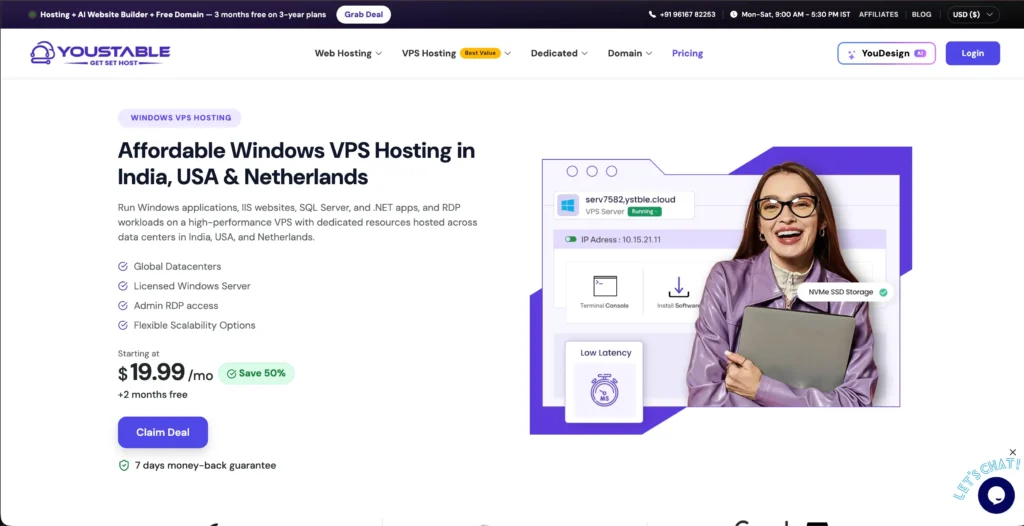
It runs on NVMe SSDs and is priced for small budgets, making it a good fit for Polymarket traders on a tight budget.
It is perfect for Polymarket traders who need a cheap, always-on remote desktop or light bots and manual trading from allowed non-US regions.
Features
Pricing
Here is the pricing for you.
| Plans | Starting Price | Resources |
| RDP-Startup | $19.99/month | 2-core processor, 4 GB RAM, 60 GB NVMe SSD. |
| RDP-Pro | $28.99/month | 4-core processor, 8 GB RAM, 125 GB NVMe SSD. |
| RDP-Popular | $50.99/month | 6-core processor, 16 GB RAM, 250 GB NVMe SSD. |
Pros & Cons
Pros
- Very low entry pricing.
- Good mix for traders.
- Managed security with DDoS protection.
Cons
- Fewer data centers.
- Support quality is inconsistent.
5. UltaHost—Best for Multi-Exchange Arbitrage
UltaHost runs VPS and RDP servers across 31 global data centers, including the US (Chicago, New York) and the EU (London, Amsterdam, Frankfurt).
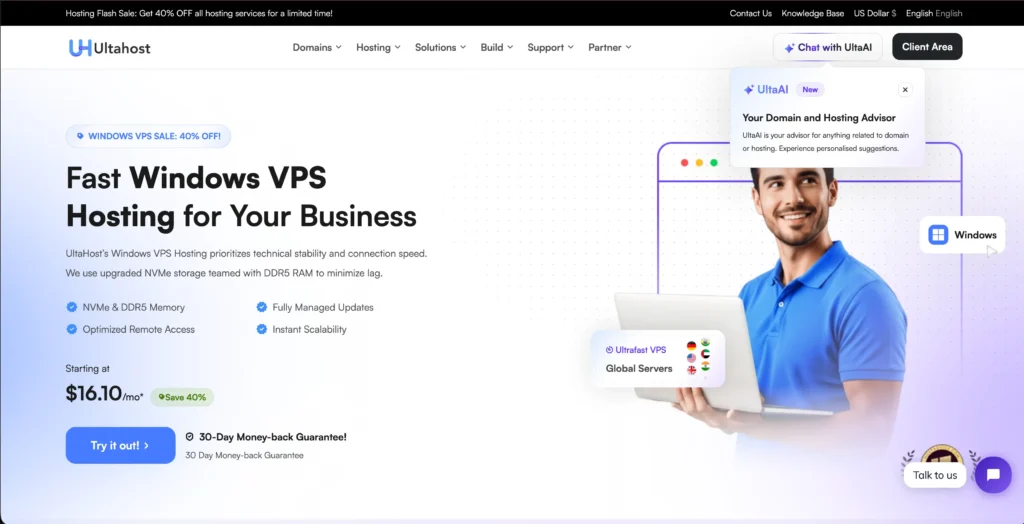
It has dedicated CPU/RAM and NVMe storage and full admin access. It perfectly fits all the traders who need multiple low-latency nodes for cross-exchange arbitrage between Polymarket and Kalshi.
Features
Pricing
Here is the pricing for you.
| Plans | Starting Price | Resources. |
| Basic Windows VPS | $18.98/month | 2 CPU cores, 2 GB RAM DDR5, 50 GB NVMe SSD. |
| Business Windows VPS | $28.19/month | 2 CPU cores, 4 GB RAM DDR5, 80 GB NVMe SSD. |
| Professional Windows VPS | $39.11/month | 3 CPU cores, 6 GB RAM DDR5, 150 GB NVMe SSD. |
Pros & Cons
Pros
- Very wide map of locations.
- NVMe + dedicated resources at low prices.
- Managed VPS with a free control panel.
Cons
- Lowest advertised rates usually need a 2-year commitment.
- No phone support.
What to Look for in a Prediction Market
Prediction markets like Polymarket and Kalshi need a setup that focuses on speed with stability and good control. Here are the four major features that will matter for you the most.
Ultra-Low Latency to Your Platform
Latency is the time it takes for your order to travel from your RDP to the exchange server. In fast-moving prediction markets, even 50 to 100ms of delay can mean worse prices, higher slippage, or completely missed entries during news spikes.
That is why serious traders choose RDPs located close to the platform’s main servers instead of random data centers.
You should aim for 10 ms round-trip time to your target platforms; premium setups in the same metro area can get below 1 ms.
Dedicated IP (Clean, Non-Shared)
A dedicated IP means your RDP has its own public address and no other user uses it. This is important for prediction market traders who rely on API keys, IP allowlists, or strict login rules.
When you have a fixed IP, you can easily whitelist your RDP once on your exchange or bot dashboard and avoid constant re-verification.
Shared IPs can cause hidden problems; if another on the same IP does something risky, your connection may be rate-limited or blocked by mistake.
A clean and dedicated IP makes security logs easier to read and helps you stay compliant with platform rules.
24/7 Uptime for Always-On Bots
Prediction markets run around the clock, and many traders use bots that must stay online all the time. If your RDP goes down during an important event, your strategy stops working, and you can miss big moves or fail to close positions in time.
That is why uptime is more important than raw CPU power for most prediction market setups.
Always look for providers that promise at least a 99.9% uptime SLA, with many trading-focused VPS offerings at 99.99% or higher. Check for backup time and 24/7 monitoring.
Full Admin Access for Custom Bots and APIs
In order to run your own scripts, trading bots, or API tools, you need full control over the RDP. Limited or managed desktops often block the software you need, such as Python, Node.js, or custom libraries.
Your prediction market trading needs an environment where you can install and configure everything your strategy requires.
Make sure you get full administrator access on Windows so you can schedule tasks, run services in the background, and open ports if your bot needs them.
Best Server Location for Each Platform
Your RDP location affects both access and trade execution speed. If you choose the right region for Polymarket, Kalshi avoids geo-blocks and cuts latency to their matching engines.
For Polymarket (Non-US: EU, Canada, Asia)
Polymarket’s international platform blocks some countries and enforces geo-restrictions at the IP level, so a non-US VPS for Polymarket is usually the safest choice for global traders.
| Note: You must avoid London and Amsterdam, as Polymarket blocks the UK and the Netherlands. |
For Kalshi (US: Chicago, New York)
Kalshi is a US-regulated exchange under the CFTC, with its matching engine running in AWS us-east-2 (Ohio). US-based RDPs give the best combination of compliance, access, and speed.
You should aim for the EU first in terms of Polymarket, then Canada or Asia if you need local hours. Choosing Kalshii means you stick to US hubs, with Chicago as the primary target and New York as a reliable backup.
Recommended Specs by Strategy
Different prediction market strategies need different server power.
Light snipping bots care most about low latency, while market making and cross-exchange arbitrage need more CPU, RAM, and network stability. Match your RDP specs to your strategy to avoid lag or wasted money.
Sniping and Copy Bots (Light)
This means fast, event-driven bots that place a small number of quick trades. They need low latency more than raw power.
Market Making (Medium)
Bots that continuously post and update quotes across multiple markets. They run longer and handle more data, so they need stronger resources.
Cross-Exchange Arbitrage (Heavy)
Bots that keep monitoring and trade on two or more platforms at once. They need the strongest CPU and RAM and the lowest latency on both sides.
So understand that going for the right RDP and server location is just as important as your trading strategy.
Match your CPU, RAM, and network to your strategy- light snipping, market making, or heavy arbitrage and you will get faster execution, fewer disconnections, and a more reliable setup for 24/7 prediction market trading.
Risks and Rules to Know Before You Automate
When you are automating trades on Polymarket and Kalshi, it can easily boost speed, but it also adds new ways to lose money or break platform rules.
So, before running live bots, you need to set clear position caps, kill switch logic, and follow each platform’s terms of service.
Positions Caps
It controls how much of your bankroll any single trade or market can use. Without them, a bug or bad signal can quickly wipe out your account.
Kill Switches
A kill switch is a hard stop that disables your bot when losses or errors cross a set limit. It is one of the most important safety tools for any automated strategy.
Platform ToS compliance
Both Polymarket and Kalshi allow automated trading through their APIs, but only within strict rules. If you break these rules, then these can get your account restricted or banned.
When you are thinking of going live, write down your caps, loss limits, and kill switch logic and test them with a small size.
Treat your platform rules as hard constraints in your code and not like some optional guideline lines.
Frequently Asked Questions:
Do I need a US or non-US VPS for Polymarket?
You need a non-US VPS for Polymarket, not because the United States is a restricted jurisdiction for Polymarket.
Which RDP location is best for Kalshi?
Any US-based server is best for Kalshi. You can start with Chicago or New York and test the actual API latency before buying.
Can I run a Polymarket and Kalshi arbitrage bot from one RDP?
Yes, but one server creates a compromise. A non-US EU node may suit Polymarket, while a US node may provide better access and latency for Kalshi. So for serious arbitrage, use separate execution servers or test both APIs from one location before risking money.
How much latency is good for prediction market bots?
Good latency for prediction market trading bots VPS generally ranges between 15 ms and 50 ms, depending heavily on your strategy.
Is automated trading allowed on Polymarket and Kalshi?
Yes, automated trading is fully allowed and officially supported on both Polymarket and Kalshi. Both platforms offer public APIs built for programmatic access, so you can pull market data easily, check order books, and place or cancel orders with a bot instead of clicking through the website.
What specs do I need for a prediction market bot?
A light bot can usually start with 2 vCPU, 2-4 GB RAM, AND 40-60 GB SSD storage. Market-making bots may need 4 vCPU and 8-16 GB RAM, while cross-exchange arbitrage often benefits from 8+ vCPU, 16-32 GB RAM, NVMe storage, and a stable, low-latency network.
Conclusion:
The best RDP for prediction markets depends on where you trade and how you trade. Choose a server in an allowed region and confirm the platform’s geographic rules before setting up your bot for Polymarket.
In Kalshi, a US-based RDP, especially in Chicago or New York, is usually the better starting point for reliable access and lower latency.
Before automating, check the platform’s current geographic rules and test your server’s connections to the relevant API, and begin with small trade sizes.
Set clear position caps, daily loss limits, and an emergency kill switch so a technical error does not create large losses. Finally, follow each platform’s API rules and terms of service.
💡 Most Loved Article!


Leave a comment