

QloudRDP is the best overall in 2026, offering a purpose-built RDP solution with a 99.99% uptime guarantee at budget-friendly pricing. Choose Kamatera if you desire flexibility with an hourly billing model and UltaHost for a managed and high-performance solution. Go for InterServer with their price-lock guarantee and no renewal hikes.
I used Windows for years, and honestly, it felt nice for easy workloads until I needed more.
The moment I started pushing things further, like heavier workloads and remote sessions with performance-critical tasks, Windows began showing its cracks. Laggy connections, bloated resource usage, and an RDP experience that just could not keep up with what I actually needed.
That’s when I started looking at Linux. At first I thought it seemed promising, like it’s lightweight, fast, and built for performance. But switching RDP servers for Linux? That just brought so many questions.
So, I tested 7 to 8 different server options, and most of them either dropped connections or throttled my CPU, so they just didn’t give a smooth remote desktop experience. But a few genuinely impressed me.
After all the testing, I found these 5 Linux RDP servers that actually perform with stable connections and real reliability. So start here with me.
Our Top 3 Recommendations


- Our Top 3 Recommendations
- What is a Linux RDP server?
- Quick Comparison of Top 5 Linux RDP Servers
- 1. QloudRDP
- 2. Kamatera
- 3. Interserver
- 4. UltaHost
- 5. AccuWeb Hosting
- Direct Comparison on Top 2 Linux based RDP Server
- Go for QloudRDP if
- Go for Kamatera if
- How to Choose Linux RDP in 2026?
- Conclusion
- Frequently Asked Questions
What is a Linux RDP server?
A Linux RDP server is a remote desktop server that runs on the Linux operating system and allows you to access and control a computer from another device over the internet. It is simply an open-source machine set up to allow that remote connection.
You can choose Linux because it is free and lightweight. It is highly customizable and is widely used by developers and many technical users who need a secure and flexible working environment.
Linux Distro Ubuntu 22.04 comes across as one of the most popular choices for running because of its long-term support and stability.
Tip
If you are new to Linux, start with Ubuntu or Debian; they are the most beginner-friendly Linux distros.
Who actually needs a Linux-based RDP server?
Not everyone needs these powerful and advanced RDP servers, but it’s a game-changer if you fall into these groups:
| Use case | Windows RDP server | RDP Server for Linux |
|---|---|---|
| Cost | A paid Windows license is required. | Free and open source. |
| Resource Usage | Heavy on RAM & CPU | Lightweight. |
| Security | Regular forced updates. | Strict User Restriction |
| Customization | Limited | Full root access. |
Quick Comparison of Top 5 Linux RDP Servers
Before I get into each one, here is a quick side-by-side so you can see at a glance which one fits your needs best.
Now let’s talk about what makes each one actually worth your time.
| Rank | Picture | Name | Rating | View |
|---|---|---|---|---|
| #1 |  | QloudRDP
| Read in Details | |
| #2 |  | Kamatera
| Read in Details | |
| #3 |  | Interserver
| Read in Details | |
| #4 |  | UltaHost
| Read in Details | |
| #5 |  | AccuWeb Hosting
| Read in Detail |
On What basis we Shortlisted Our Top 5
I used each server for 14 days straight, not just a quick demo. I ran each provider using UptimeRobot to track real uptime every 5 minutes. I pushed each server with actual tasks like transferring large files, opened multiple browser tabs, and ran code while monitoring RAM and CPU usage. I also messaged support late at night to see who actually replies fast. If it slowed down or crashed, it didn’t make this list.
1. QloudRDP
- Best For: Easy & Instant server deployment with 99.99% uptime.
- Plans starting @ $12.99/month
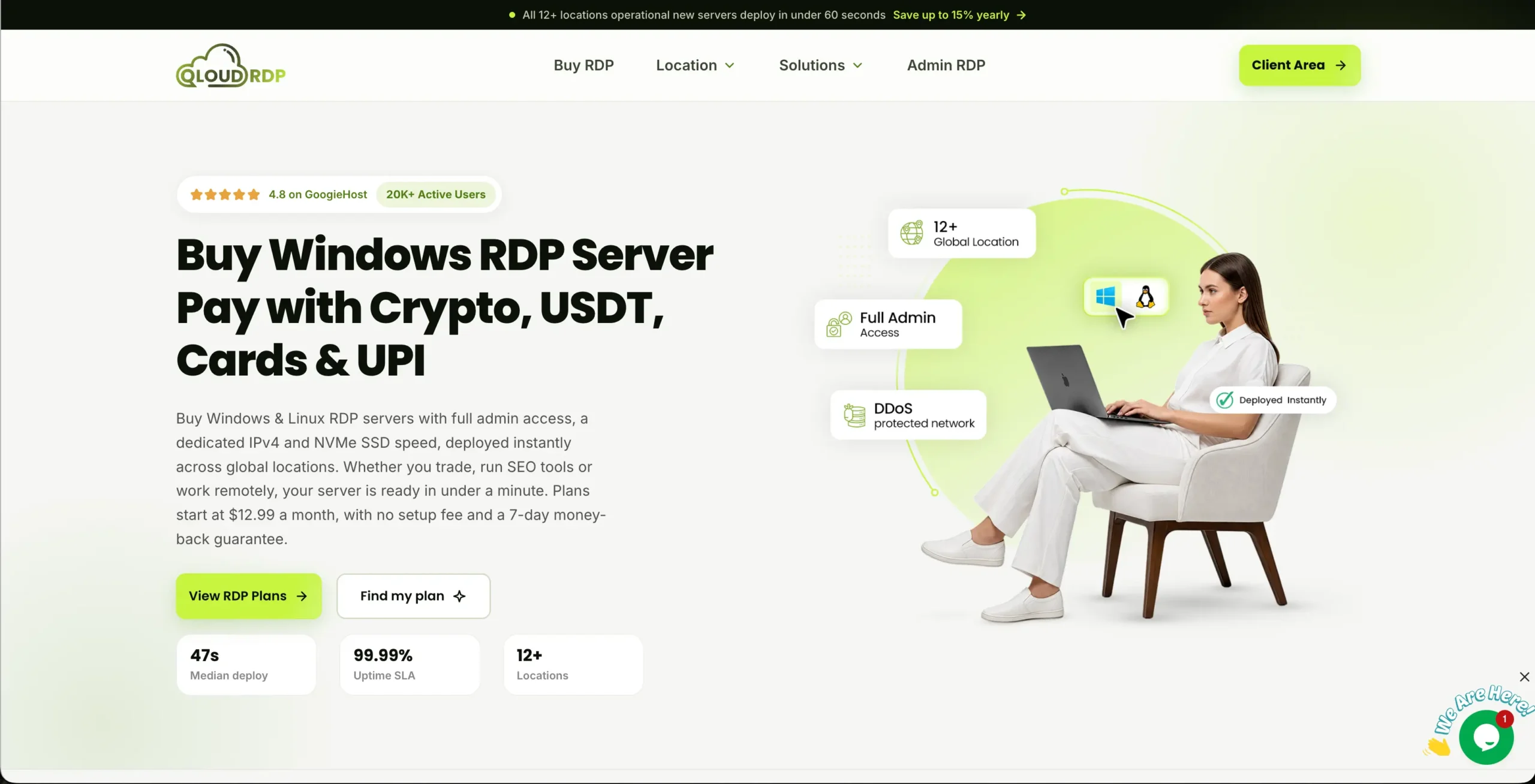
| Uptime 99.99% | Admin Access Yes, 100% | Network 1 Gbps connection | Security DDoS protection |
What we liked
- You spin it, and it’s ready to go. No waiting around for setup.
- Files transfer faster, and commands execute instantly.
- You own the system completely. Install what you want & configure it your way.
What needs to be Improved
- Sometimes your remote connection crops unexpectedly. It breaks your flow.
- When something breaks, waiting for help costs you time.
From Our Experience
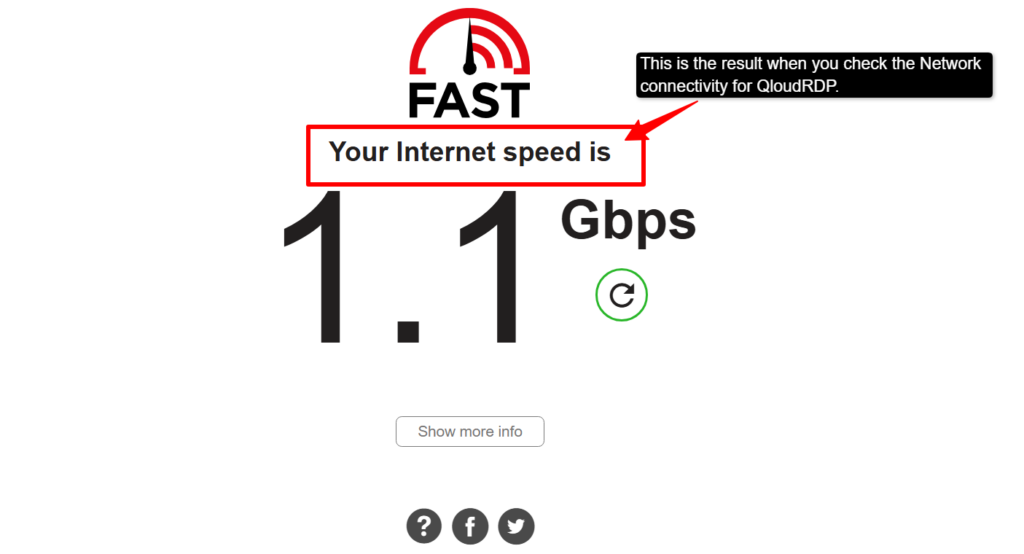
I tested QloudRDP’s network connectivity and found a minimum connection speed of 1.1 Gbps across all server locations, with remote sessions remaining stable and responsive even during heavy file transfers.
Our Verdict:
Honestly, QloudRDP surprised me. Setup took minutes, and the connection stayed rock-solid. It’s not the cheapest, but for a beginner who wants Linux RDP that just works without touching a single configured file, it’s worth every single penny.
2. Kamatera
- Best For: Scalable resources and zero downtime.
- Plans starting @ $4/ month
| Uptime 99.95% | Admin Access Yes | Network 1 Gbps connection | Security DDoS protection & cloud firewalls |
What we liked
- Your server grows with you. Scale up instantly when traffic spikes with no downtime.
- You pay for what you use. No hidden surprises.
- Jump in risk-free for 30 days and actually test it. A hundred bucks to explore before you commit.
What needs to be Improved
- If you are new, the interface could be a little overwhelming.
- Advanced features come with surprise charges that can stack up quietly.
Our Verdict: Kamatera is the one I’d recommend to any developer without hesitation. The real-time scaling alone saved me hours during a heavy workload spike. It’s not for beginners, but if you know what you are doing on Linux, this will give you more control because of its scalable resources than anything else on the list.
3. Interserver
- Best For: Full root access
- Plans starting @ $3/ month
| Uptime 99.9% | Admin Access Full unrestricted Access | Network 1 Gbps to 10 Gbps | Security Strict security isolation |
What we Liked
- Cost-effective.
- No pre-installed bloatware.
- Price-Lock Guarantee.
What needs to be Improved
- Inconsistent ticket support.
- No free trial or money back guarantee.
Our Verdict
The one aspect about InterServer that struck me the most is its price-lock guarantee feature, with a budget-friendly price starting at $3/month. My bill stayed the same at renewal. If you are a Linux sysadmin who wants full control without being nickel-and-dimed every year, InterServer is your answer.
4. UltaHost
- Best For: Managed Speed.
- Plans starting @ $5.5/ month

| Uptime 99.99% | Admin Access Yes | Network 1 Gbps connection | Security BitNinja & DDoS protection |
What we Liked
- Your data files and you’re shielded from attacks without paying extra.
- Complete control over your Linux. Install, configure & customize.
- Download and upload without worrying about limits; plenty of room to breathe.
What needs to be Improved
- If you are new, the setup and management panels feel confusing.
- You get what you pay for, but upgrades get costly fast.
Our Verdict
UltaHost gave me the smoothest managed Linux experience at a mid-range price. Its NVMe storage keeps sessions fast, and I have never once hit a lag spike. The support tickets were a little slow, but the actual server performance, more than anything, made up for it.
5. AccuWeb Hosting
- Best For: Tight Budget.
- Plans starting @ $4.95/ month
| Uptime 99.9% | Admin Access yes | Network Upto 100 Gbps | Security Dedicated anti-virus & DDoS protection |
What we Liked
- Your server runs on Intel Xeon E5 or AMD EPYC processors.
- The entire system is yours to command. Install, optimize, do anything.
- When you need help, they actually respond in minutes and solve your problem.
What needs to be Improved
- You need Linux experience to get the most from this.
- Their tools and interface favor Windows environments better.
Our Verdict
I didn’t expect much at this price point, but AccuWebHosting genuinely delivered a fast and clean performance with an optimized Linux setup. It gives you solid uptime, although it’s not built for complex cloud environments but for straightforward Linux RDP use, and that too on a budget is best for this.
Direct Comparison on Top 2 Linux based RDP Server
Both QloudRDP and Kamatera made it to the top of my list, but they serve very different types of users. Here’s a quick comparison to help you pick the right one without overthinking it.
Go for QloudRDP if
- If you hate setup headaches: Instant setup with zero configuration.
- If you are new to the server: Non-technical? Everything is built for beginners.
- You want peace of mind: 7-day money-back guarantee. Test it guilt-free
- You want servers everywhere: 12 locations worldwide.
Go for Kamatera if
- You need speed, not setup: Launch your server in under 60 seconds, via SSH/RDP.
- You want to try before buying: a 30-day free trial with a $100 credit.
- You want flexible payments: Hourly billing.
- You need to scale fast: real-time resource scaling.
In short, QloudRDP is going to be your easiest ride, and Kamatera will give you the most power, so pick based on how much control you actually need.
How to Choose Linux RDP in 2026?
Now, after understanding this Linux RDP, I drafted the four major requirements that you need to consider while choosing it.
1. What kind of support and security do you actually need?
Always check if the support team for any provider is available 24/7 through live chat. It should not be just tickets. You can even test their response time before you buy. A good Linux RDP provider responds in under a minute, along with security measures. A fast server that gets hacked is worse than no server. Check their security credentials first, then pick the one that fits your speed and uptime needs.
2. What Uptime Do You Need?
Anything below 99.9% uptime means good minutes of downtime for a remote desktop you rely on daily. Don’t just take the provider’s word for it; always check third-party uptime reports. All the providers on this list are above 99.9%, and that’s not a coincidence, but it’s actually the baseline for any serious Linux RDP server.
3. What RAM and storage do you need?
For running a lightweight RDP server for Linux, it takes around 200 MB of RAM at idle, but the moment you open a browser and handle remote sessions, the number climbs up to 4 GB RAM as the bare minimum for a smooth and basic Linux RDP experience.
Tip
Watch out for “swap” usage. When your server runs out of RAM, it uses disk space as fake RAM, which is a hundred times slower even on NVMe drives, making your session crawl. Always pick a plan with more RAM than you think you need.
4. What value should you pay for your RDP server?
You should always check the renewal rate, as some providers can triple their price after the first year. You know, for what you are actually paying, it’s the NVMe storage, DDoS protection, and root access with 24/7 support. All of this should be included in any of the plans without paying extra.
Tip
Always check upgrade cost and setup fees, not just the headline prices. The cheapest plan often becomes the most expensive one by year two.
Conclusion
If you want the right remote desktop server for Linux, then it’s not complicated; seriously, after testing all five, I have understood this. And simply, there is no single perfect fit for everyone. If you are just starting it, then you can go with QloudRDP. It is fast and simple, with beginner-friendly features, and can be considered the best RDP server for Linux.
But if you want a managed server with scalable resources, then Kamatera could be your second choice.
The most common mistake that people make is going after the cheapest option that they see on the headline of any provider’s page. Don’t do this; look for support, uptime, and speed.
Pick the one that actually matches your needs and how you work. A good Ubuntu RDP server should feel invisible with its fast performance, stability, and always being there when you need it.
I have done the hard testing. Now the choice is yours.
Frequently Asked Questions
What to look for while buying a Linux RDP server?
Just check four things: uptime (MINIMUM 99.9%), full root access, 24/7 live chat support, and whatever is included in the base price model. Place your focus on buying linux-native software support (XRDP) and RAM allocation.
Who actually needs an Ubuntu RDP server?
Developers who are looking for a stable and familiar Linux environment to code and run scripts remotely. It is also a perfect platform for sysadmins managing multiple servers and businesses that need a secure remote workspace without paying for a Windows license.
How much RAM and storage do I need for my development work on a Linux-based RDP server?
Minimum 4 GB RAM and 50 GB NVMe SSD storage for smooth development work. You would require 8 GB RAM with 100 GB NVMe SSD storage for running multiple web applications and larger databases.
Which is the best Linux distro for gaming in 2026?
Ubuntu is the most stable option for a Linux distro RDP for gaming in 2026. Ubuntu wins for gaming, as it offers the widest driver support and a seamless experience. It runs very smoothly on lightweight desktop setups without hogging your server resources.
💡 Most Loved Article!











4 Comments