

In today’s fast-moving digital environment, businesses need more than just basic remote access; they need better control, flexibility, and efficiency. This is where RDP with admin access becomes a practical solution.
It is not like the standard remote desktop setups that come with limited permissions, as an admin-level RDP allows complete control over the system, making it easier to manage operations without any unnecessary restrictions.
Because in business, limited access often means limited growth.
With admin RDP hosting, businesses can install and configure the software, customize system settings, and even manage security protocols without even relying on third-party support for every one of the small changes.
This not only saves time but also improves overall productivity, especially for teams handling multiple tools, applications, or workflows remotely.
As businesses continue to shift towards remote and cloud-based operations, having full administrative control is no longer a luxury; it is actually becoming a necessity.
In fact, according to the U.S. Census Bureau, more than 60% of small businesses now rely on digital and cloud-based infrastructure for their daily projects, which makes it clear that this shift is already underway, which is why exploring the key reasons behind choosing the setup is important.
Infrastructure access challenges don’t just slow down work; they paralyze it. Over 64% of organizations report that limited access directly impacts their overall productivity.” — StrongDM Access Report
Let’s move on to the benefits and know various reasons of choosing it:
5 Benefits Of Choosing A Cheap RDP With Admin Access
Once you understand what dedicated RDP hosting actually brings to the table, the next step for you is to look at how it benefits your business in practical terms. It is not just about remote connectivity; it is about having the freedom to manage your system the way you want, without the constant limitations or extra costs.
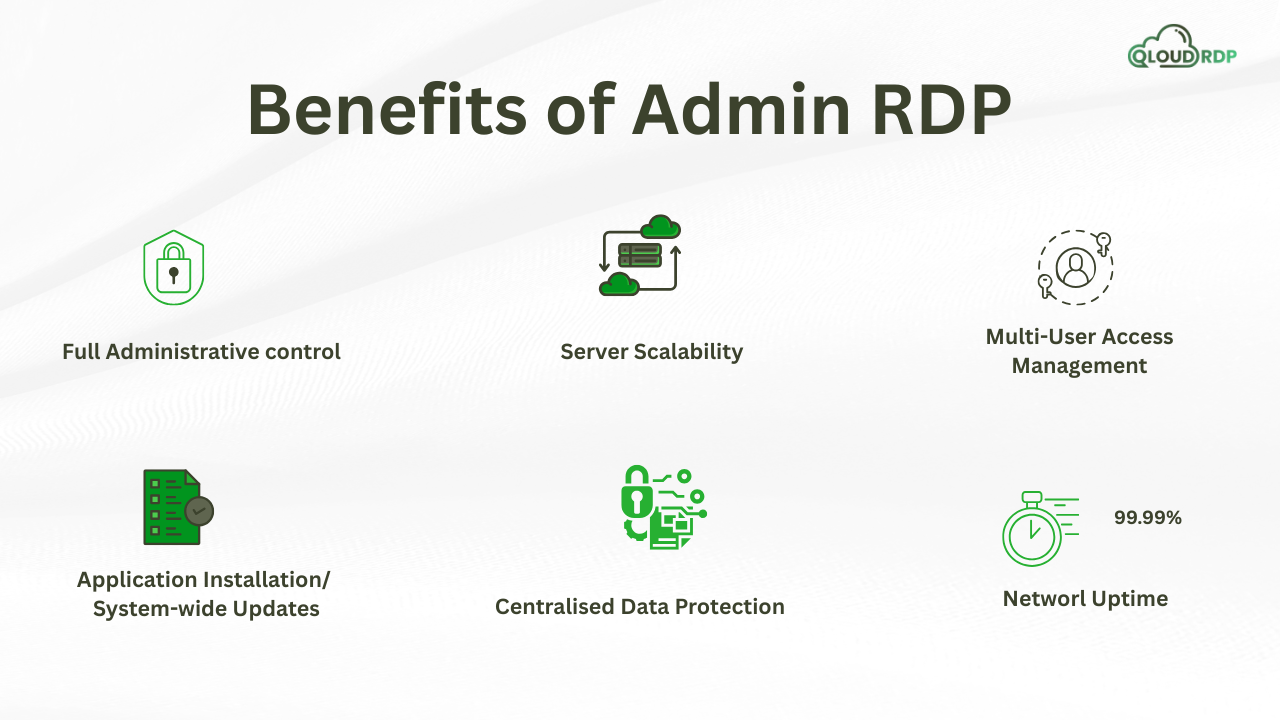
So now, after researching extensively, we have identified the key benefits of choosing RDP with admin access. So let’s talk about those benefits in detail:
1. Full Administrative Control over your Remote Work:
This is called out as the first and biggest advantage of choosing dedicated RDP because of the level of control it gives you over your remote environment. It is not like the standard RDP which comes with limited permissions; admin access allows you to manage the system the way you want without the need to depend on anyone.
This means you can very easily install or remove software settings and configure tools based on your business requirements, all from one place.
In a typical business setup, even the small tasks like installing a new tool or adjusting system configurations often need external support or a higher level of permissions. This will not only slow down your workflow but will also affect productivity.
This full administrative access kind of removes these limitations, giving you the complete authority to make any changes.
In attacks on critical infrastructure, 85% of incidents could have been mitigated with simple patching or least-privilege principles—actions that require proactive administrative control.” — CrowdStrike 2026 Threat Report
2. Enhanced Security and Access Management
Another strong reason to choose RDP with full access is the improved level of security and control over who can access your system. The admin privileges allow you to set user roles, manage permissions, enable firewalls, and apply security updates whenever it is needed.
And this becomes even more critical knowing that RDP ports exposed with weak or default credentials are one of the leading entry points for 95% ransomware attacks globally- making the admin-level control not just a convenience, but a necessity.
For businesses, this means better control over internal operations and reduced risk of unauthorized access or data breaches. Instead of relying on default security settings, you can customize everything based on your needs, making RDP with admin access a reliable option for maintaining both security and smooth access management.
3. Scalability and Flexibility for Growing Businesses
As your business grows, its technical needs will also change, and this is where Admin RDP for business becomes really important. It will allow you to scale resources, add new users, install some of the advanced tools, and even adjust the system configurations without experiencing major limitations.
In fact, a 2025 report by CloudStat Research found that 68% of IT professionals now prefer cloud-based desktops for their daily work, and RDP access remains among their top choices. So, using the remote desktop platform setup can easily expand your team and make the workload better.
The flexibility makes it a strong reason for businesses to choose it, especially in the long run. You can continuously upgrade and customize your working schedule rather than switching systems or facing a number of restrictions. Working with admin RDP access, your system grows along with your business, giving you smooth and uninterrupted operations.
4. High Performance and Uptime for business-critical tasks
For any business, performance and reliability are important, especially when dealing with important tasks and deadlines. With full control in remote login access, you get a stable and high-performing workflow that can handle applications and continuous workflow without frequent slowdowns.
Since you will have full control, you can also optimize system settings and resources to maintain consistent performance.
Combined with performance, uptime also plays a crucial role; businesses often need systems that are available whenever required, without unexpected interruptions.
A reliable RDP setup will ensure minimal downtime, allowing you to run operations smoothly and complete complex tasks without delays.
5. Cost-Effective Alternative to Dedicated On-Premise Servers
Setting up and maintaining dedicated on-premise servers can be expensive, requiring investment in hardware, maintenance, and IT support. This is where, again, RDP with admin access provides a better and more budget-friendly solution.
It offers simpler control and functionality to operate efficiently without heavy infrastructure expense.
For growing businesses or startups, this becomes a practical reason to choose it. You get full administrative control along with flexibility at a much lower cost, making RDP with admin access a smart and scalable alternative to traditional server setup.
Who Should Buy RDP With Admin Access?
After understanding the major benefits that come with dedicated RDP hosting, let’s move on to the kind of users that should use this and the users for whom it’s not suitable.
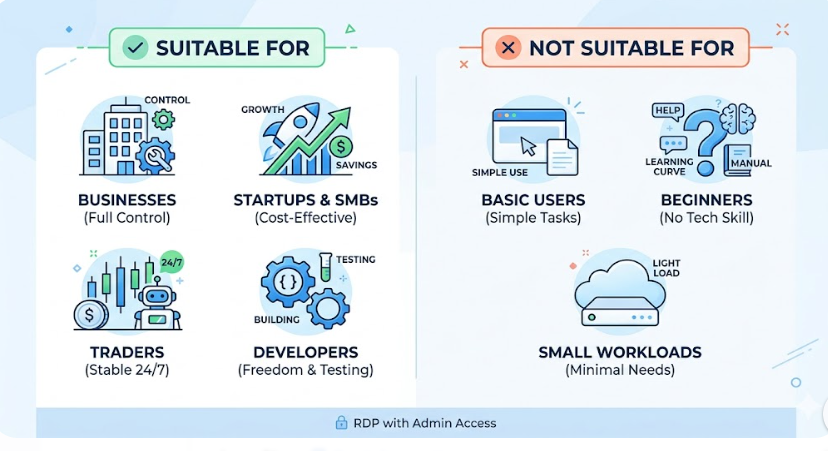
Suitable for: It is suitable for some users, like
Not suitable for: It is not suitable for some users, like
Versatile Use Cases for Business Operations
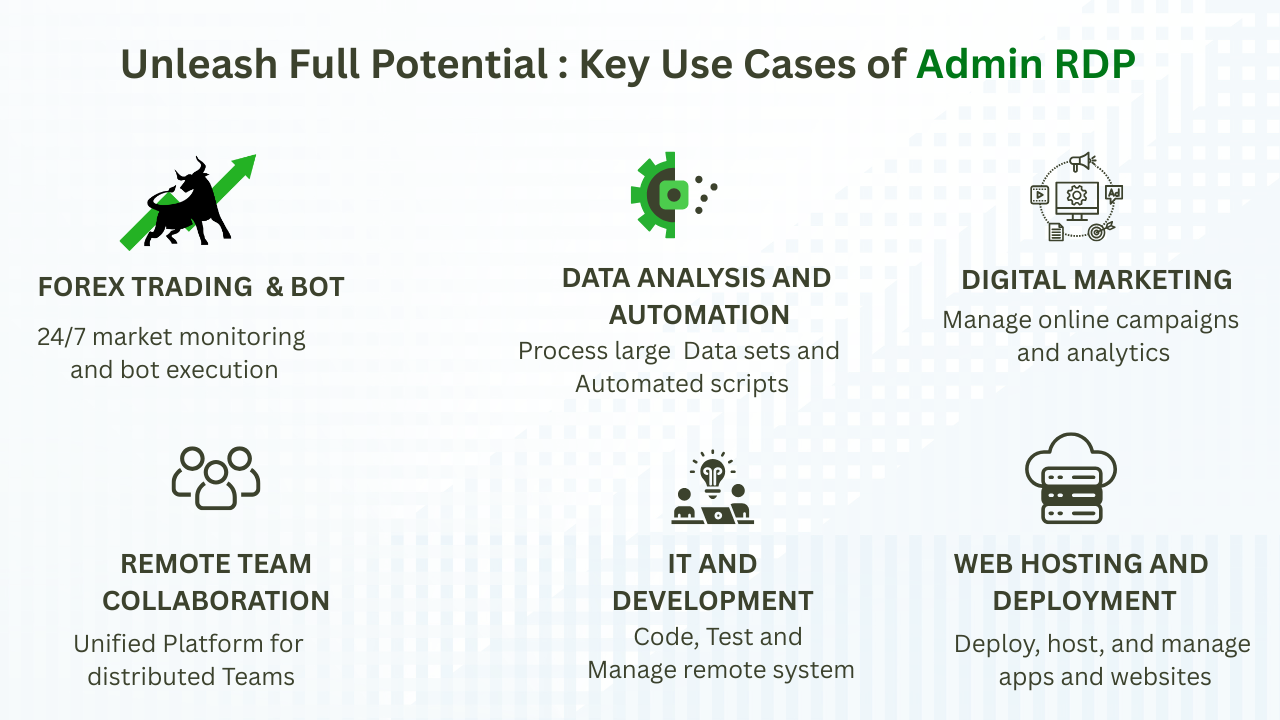
Now, here we have given some versatile use cases of RDP with admin access for business operations in clear key pointers:
- IT & Development Work.
- Data Analysis & Automation.
- Remote Team Collaborations.
- Forex Trading & Bot Hosting.
- Web hosting & Application Deployment.
Now we will figure out some of the real-world RDP usage, and we will understand this clearly by the table below:
Real-World RDP Usage
Before diving into the table, it is important to understand how RDP with admin access is actually used in real-world scenarios. From handling day-to-day business operations to running complex software, its applications go far beyond just remote login.
The table below highlights some of the most common and practical use cases, along with their level of complexity, giving you a clearer picture of where and how this solution fits into different workflows.
| Industry | How Admin RDP is used | Why Admin RDP is essential | Complexity level |
|---|---|---|---|
| Trading and automation | Run trading platforms, bots, and scripts 24/7 without interruptions. | Ensures low latency, continuous uptime, and fast execution. | Medium |
| Agencies and team | Centralized access for team tools, shared files, and project management. | Maintains consistency, security, and remote collaboration. | Low |
| Remote training and labs | Provide virtual systems for students to practice in real time. | Removes the need for physical labs and allows scalable learning | Low |
| Data Processing | Handle large datasets, run scripts, and automate workflows. | Offloads heavy processing from local machines and enables multi-account operations. | Medium |
| Digital Marketing | Manage SEO tools, ads, automation, and multiple accounts. | Avoids device limitations and enables multi-account operations | Low |
| Long-Running Applications | Host bots, scrapers, and automation tools running continuously | Prevents downtime and ensures tasks run without local dependency | Medium |
| Software and development | Develop, test, and deploy applications in controlled environments. | Full admin control for installing tools and configuring systems | High |
This table clearly shows that an admin RDP hosting is not limited to a single type of business; it adapts to a wide range of real-world use cases, from simple team collaboration to advanced development environments. The complexity may vary by task, but the core advantage remains the same.
Final Thought
To wrap it up, choosing an RDP with admin access is not about remote connectivity; it is about having complete control, better security, and the flexibility to scale your business operations without limitations. From managing critical tasks to running advanced applications, it gives you the kind of freedom that a standard setup simply cannot match.
If you are looking for a reliable option, we’d definitely recommend QloudRDP as it strikes a good balance between performance, affordability, and full administrative control, making it a practical choice for businesses that want to get serious about their remote infrastructure without overcomplicating things.
Now, don’t wait, Go Hurry, explore QloudRDP plans today.
Further Reading
Frequently Asked Questions
Can I install my own software on the admin RDP?
Yes, with admin access to RDP, you have full control over the server, which means you can install, uninstall, and configure any software just like on your personal computer. This will include development tools, trading platforms, automation software, or custom applications. It is not like shared RDP; there are no major restrictions, so you can easily tailor your environment exactly as per your business needs.
How do I buy an admin RDP?
Buying an admin RDP is a simple process. First, you need to choose a reliable RDP provider based on your requirements, like RAM, CPU, storage, and location. Then select a suitable plan, complete the payment, and you will receive login credentials (IP address, username, and password). After that, you can connect using your server with full administrative control.
What is the difference between shared RDP and admin RDP?
The main difference lies in control and flexibility. In shared RDP, multiple users access the same server with limited permissions, meaning you cannot install certain software or change system settings. On the other hand, admin RDP gives you full administrative rights, allowing complete control over the server, better performance, and higher customization. This makes admin RDP more suitable for businesses and advanced use cases, while shared RDP is better for basic tasks.







6 Comments