

Quick Summary: 5 Best RDP Servers for Accounting Software compares QloudRDP, Kamatera, UltaHost, OVHcloud, and AccuWeb Hosting for secure remote accounting access. It covers key features like encryption, uptime, compliance, and multi-user support, with QloudRDP recommended as the top pick for security-focused accounting firms.
Two years ago, I made a costly mistake of choosing the wrong RDP server for my accounting firm.
I struggled with finding secure remote access for my accounting practice.
I was working from home, my team was scattered across locations and managing sensitive client data felt risky. I knew I needed to find the best RDP servers for accounting, but I wasn’t sure where to start.
So I did what any accountant would do; I tested them myself.
Over six months, I tried different solutions with my accounting software, checking security and speed. I looked for platforms that actually understood what accountants need, not just generic remote desktop access.
I’m sharing the best RDP servers for accounting that I personally tested and use daily. These are real solutions that work.
- What are various types of accounting software? Can we run on a remote server?
- Why are accountants and finance teams switching towards remote desktop servers?
- Top 3 Recommendations
- The 5 Best RDP Servers for Accounting
- Comparison Table: 5 Best RDP Providers
- How to Set Up Accounting Software on an RDP Server?
- What to Look for in an RDP Server for Accounting?
- Why Trust Our Recommendations?
- Conclusion
- FAQs
What are various types of accounting software? Can we run on a remote server?
Before you choose your RDP, you need to know what accounting software you’ll be running remotely. Different platforms have different security and performance requirements.
Let’s first understand the major types of accounting software you need to know.
Small businesses can use simple cloud tools like QuickBooks Online to save money and work easily. Large companies need ERP systems to protect their sensitive data and manage complex operations safely.
Why are accountants and finance teams switching towards remote desktop servers?
Accounting teams face real challenges in today’s remote work world. Security threats, performance issues, and team coordination problems create stress.
But there is a solution: remote desktop servers. Here’s how RDP solves the exact problems accountants struggle with daily.
RDP solves these many critical problems at once; it keeps your client data safe with encryption and meets audit and compliance rules automatically. It even reduces your software costs by sharing one license with your whole team.
That’s why smart accounting firms are choosing a reliable RDP to protect their businesses and work securely from anywhere.
Top 3 Recommendations
The 5 Best RDP Servers for Accounting
Here are the best 5 RDP servers that you can use with complete trust and experience better performance performing an endless number of tasks within your company with your team.
TL;DR
- QloudRDP: Your cloud, your rules, RDP built for business.
- Kamatera: Scale without limits, perform without compromises.
- UltaHost: Fast, reliable, and compliant, where financial data stays safe.
- OVHcloud: Enterprise-grade power, cloud-native flexibility.
- AccuWeb Hosting: Accurate hosting for accurate accounting.
1. QloudRDP
Best For: Mid-to-large accounting firms need enterprise-grade security without enterprise pricing. It is perfect for QuickBooks accounting software desktop, Sage 50, and tax-preparation software.
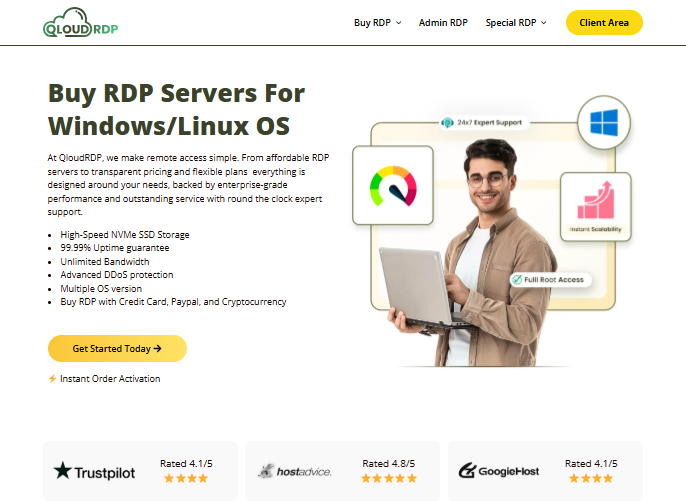
QloudRDP specializes in secure remote access for accounting firms handling sensitive financial data. It combines excellent encryption with reliable performance, ensuring your accounting software runs smoothly from any location.
It is perfect for firms using desktop accounting software like QuickBooks or Sage 50. You get unlimited connections here, allowing your distributed teams to collaborate without security compromise.
Key Features
Let’s see some major features of it:
Pricing Plans
You can refer to these pricing plans for QloudRDP:
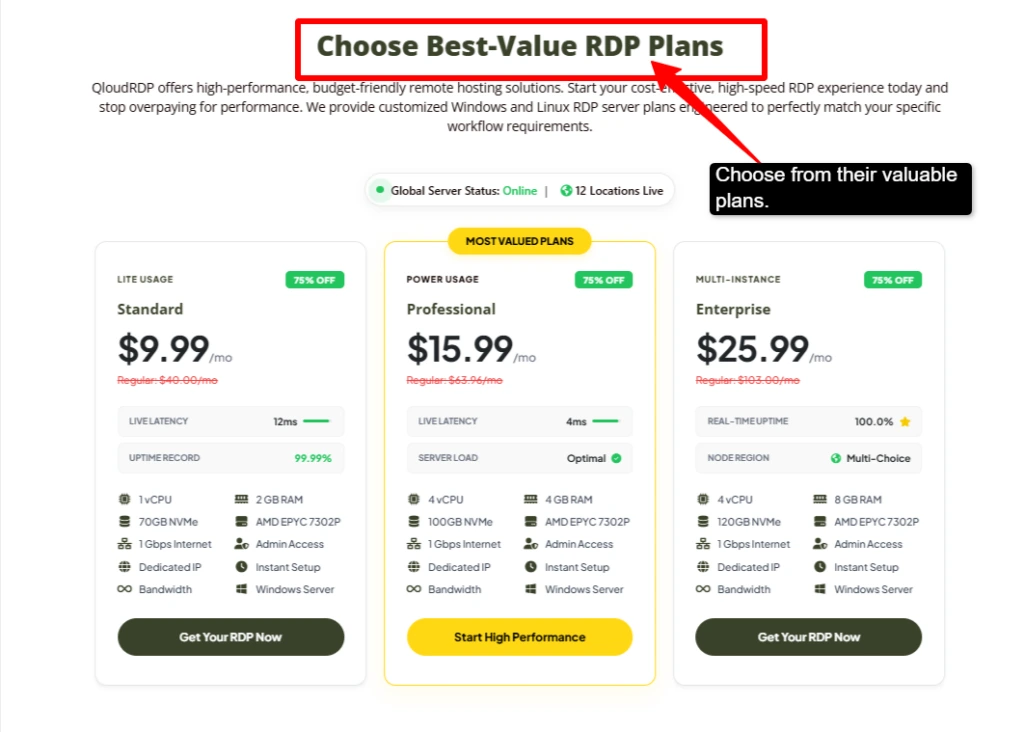
My Review
I would say QloudRDP is exceptional for accounting firms prioritizing security and compliance. Your tax preparation firms should use desktop software. It has exceptional infrastructure choices for accounting and tax preparation firms, prioritizing security and data compliance. Altogether, this is the most trustworthy choice for handling client financial data safely.
2. Kamatera
Best For: Small-to-medium accounting practices with limited budgets. It is great for using QuickBooks Online, Xero, or cloud-based accounting software.
Kamatera offers affordable, scalable RDP hosting perfect for small accounting firms just starting a remote server for accounting work. You get a platform that is user-friendly with zero technical knowledge required.
It is a perfect destination for solo practitioners or small teams. It supports both cloud and desktop accounting software seamlessly. It has a fast global infrastructure, ensuring smooth performance even with heavy spreadsheets and large data files.
Key Features
Here are the major features for your accounting software:
Pricing Plans
These are Kamatera’s RDP plans you can refer to:
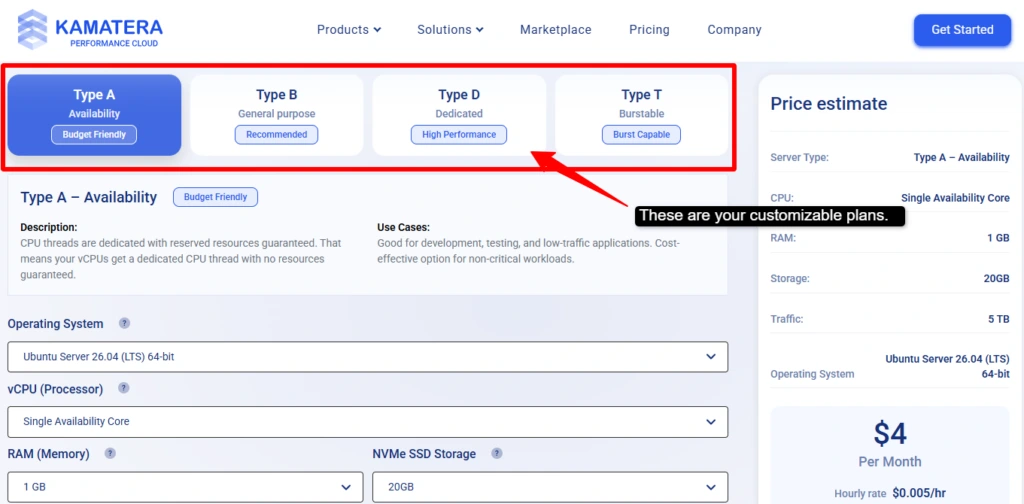
My Review
I can say that Kamatera is the best budget option for you if you have small accounting practices. It has an easy setup, which means accountants don’t need IT help and performance is reliable for small-to-medium-sized firms. But, for large firms with 50+ employees, it can get pricey, but it is best for solo and small teams with small tax practices.
3. UltaHost
Best For: Budget-conscious accounting practices need reliable security and compliance. It is perfect for small tax firms, bookkeeping services, and practices using QuickBooks Desktop or Sage 50.
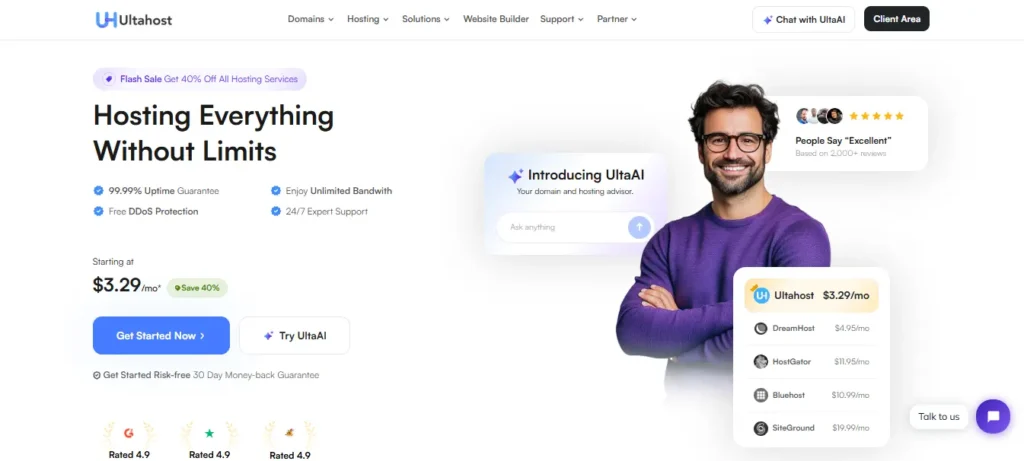
UltaHost offers budget-friendly RDP hosting designed specifically for your accounting firms. If you need security and compliance without premium pricing, then choose this without thinking. You get automatic daily backups protecting your sensitive client tax data from loss or corruption.
It has built-in DDoS protection shielding against cyberattacks during busy tax seasons. You get comprehensive audit logs satisfying regulatory requirements and supporting compliance results.
Key Features
Here are the major features of UltaHost:
Pricing Plans
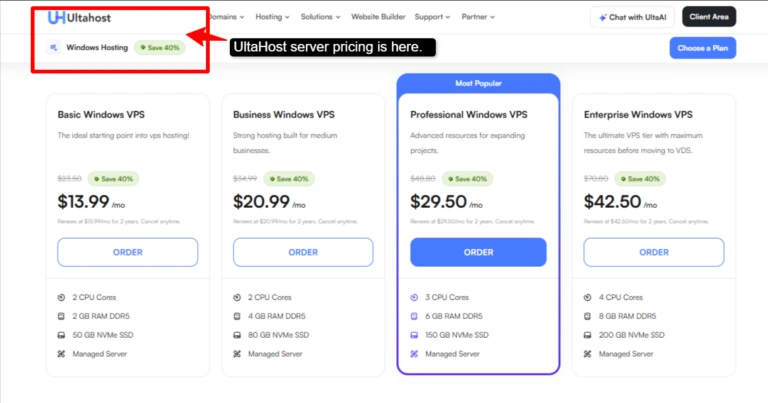
Here, you can see UltaHost’s server pricing:
My Review
UltaHost is going to deliver you excellent value for your small accounting practices on tight budgets. It is best for your tax preparation firms and bookkeeping services needing compliance features. You get solid security features for your audit logs. I think it delivered me my best experience, and I definitely recommend this provider to you if your firm even prioritizes compliance and security over speed.
4. OVHcloud
Best For: It is best for enterprise accounting firms and large tax practices. It is excellent for firms using NetSuite, SAP, or complex ERP systems alongside accounting software.
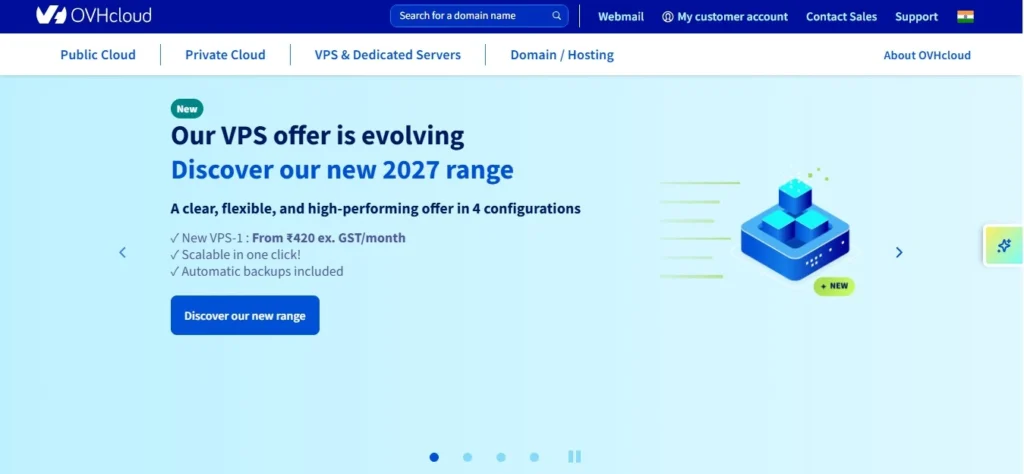
OVHcloud is the enterprise-grade choice for your large accounting firms managing complex operations across multiple locations. It offers amazing infrastructure with European data center compliance, making it perfect for international firms handling sensitive financial data.
It has superior disaster recovery, which ensures your accounting operations never stop. You get support for your large ERP systems and advanced accounting platforms.
Key Features
Let’s see its major features for you:
Pricing Plans
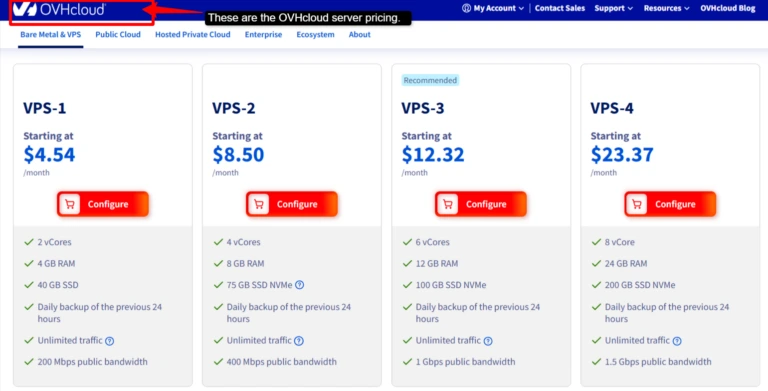
Here are your server plans for OVHcloud.
My Review
This platform is excellent for your large accounting firms and enterprises; in fact, it is best for international firms needing GDPR compliance. I found this disaster recovery feature very unique to this provider, guaranteeing you peace of mind. Setup is a little complex and not recommended for small practices, but best for large ones dealing with multinational accounting operations.
5. AccuWeb Hosting
Best For: It is best for your mid-size accounting firms needing balanced performance and price. If you are using multiple accounting applications, it is perfect for you.
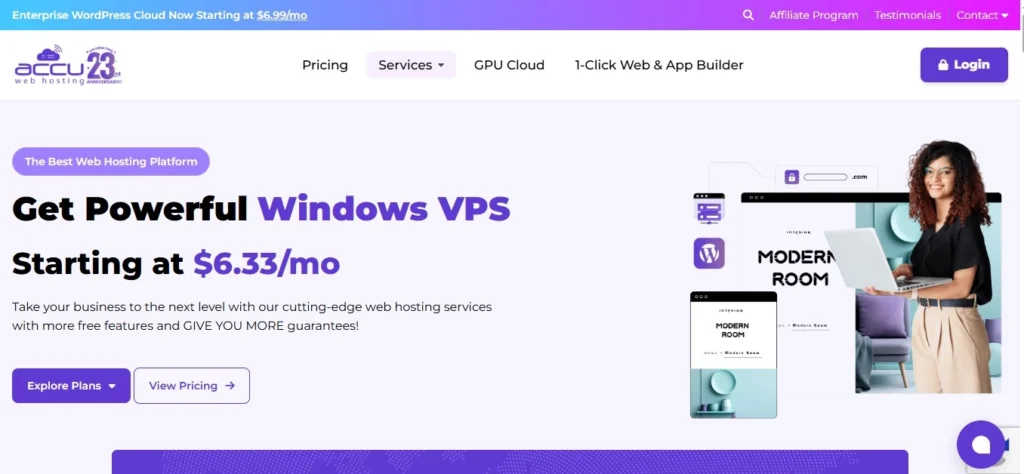
AccuWeb Hosting brings the perfect balance between affordability and performance for growing accounting firms. It offers unlimited bandwidth, accommodating large file transfers and multiple accounting operations.
Its SSD storage ensures fast performance even during peak tax season. You get flexible scaling, which means you can upgrade resources as your firm expands. You get SSL encryption with security without any extra costs.
Key Features
Here are some of its core features:
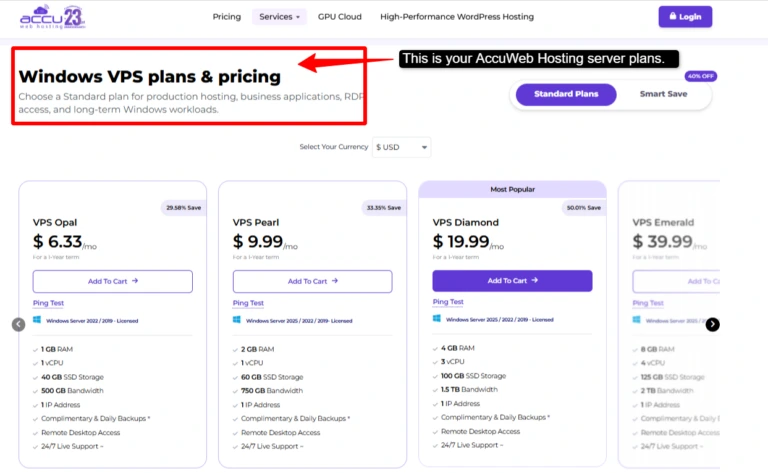
Pricing Plans
Here is the pricing for AccuWeb Hosting provider:
My Review
Honestly, this platform is perfect for growing automation firms and is best with 10-30 employees handling multiple accounting applications. It serves you with the best value, balanced performance, and price. You get convenient migration services that save a lot of your time. If I see this provider as a whole, then it’s considered best for firms that are ready to scale beyond a small practice but not yet at the enterprise level.
| Note: We’ve included Windows VPS pricing here because RDP servers and Windows VPS solutions are similar; both provide secure remote access to dedicated server resources. They share comparable pricing models because they use identical server infrastructure and security protocols to protect sensitive accounting data. |
Comparison Table: 5 Best RDP Providers
Below is a clear comparison of the five best RDP options for your accounting firms. Each has different strengths, like security, setup, or performance. Find the one that matches your specific needs.
| Providers | Root Access | Best for | Score | Recommended Plan Pricing |
|---|---|---|---|---|
| QloudRDP | Yes | Law firms & tax consultants needing strict audits & regulatory compliance. | 4.7 | $25.99/month |
| Kamatera | Yes | Startup accounting practices for rapid growth. | 4.3 | Customizable |
| UltaHost | Yes | Multi-office firms with teams across different countries. | 4.9 | $42.50/month |
| OVHcloud | Yes | Solo practitioners & freelance accountants wanting enterprise security. | 3.9 | $23.37/month |
| AccuWeb Hosting | Yes | Firms migrating from desktop software to remote work. | 4.5 | $39.99/month |
This comparison shows that no single provider wins in all categories. Your choice largely depends on your priorities. Altogether each provider serves better than the other, but it is you who has to decide which provider is best for you and your needs.
Evaluate your firm’s needs against each provider’s strengths and start your journey.
How to Set Up Accounting Software on an RDP Server?
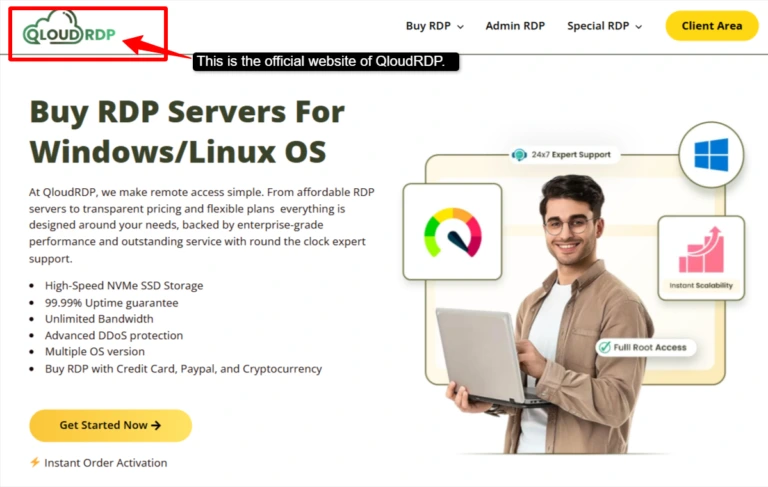
Now, here, we will learn about how you can set up your accounting software on QloudRDP’s servers. We have given easy and navigable steps.
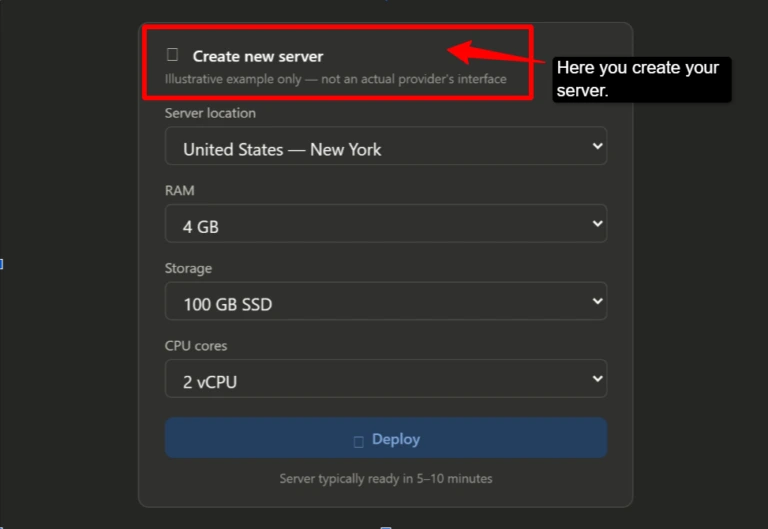
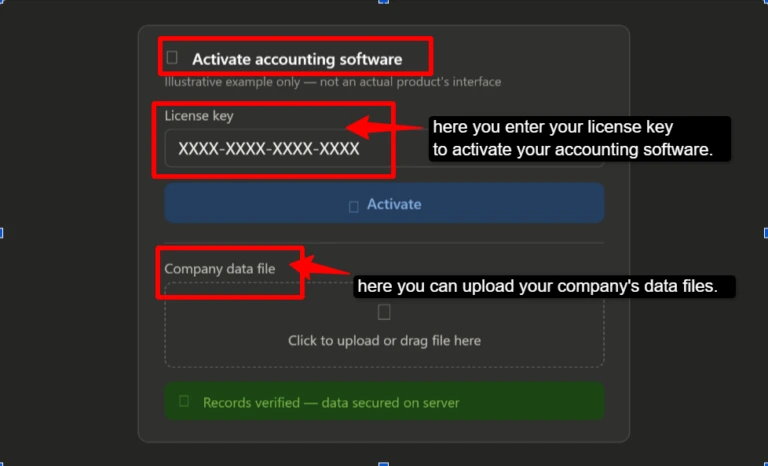
Now, just invite your team and start working. Return to your dashboard, log in, and access the same accounting software and data where you have added your team. Everyone works together in real-time.
Disclaimer: We have used QloudRDP for the setup steps because it’s our provider and allows us to demonstrate the setup process clearly for you. But we have been completely unbiased towards other providers and focused on helping you choose the solution that best fits your accounting requirements.
What to Look for in an RDP Server for Accounting?
If you choose the wrong RDP server, it can compromise your client data or cause other issues.
So, before committing to any provider, accountants need to evaluate specific criteria that protect their sensitive financial information and keep operations running smoothly. Here’s exactly what you need to look for:
The best RDP server protects your data, performs reliably, and fits your budget. Don’t choose based on price alone; you should even look at what keeps your client’s information safe and secure.
Why Trust Our Recommendations?
I’ve personally tested all five RDP servers with real accounting software and real client data. I’ve made mistakes when I chose the wrong server, so I understood the pain.
These recommendations come from my actual first-hand experience managing accounting practices remotely, not just theory.
Every provider I tested here has been tested for security, compliance, and performance. I’m recommending what I actually used and trusted with sensitive financial information.
Conclusion
Remote work is no longer optional for accounting firms; it has become essential. The right RDP server for accounting software transforms how your team works, protects sensitive client data, and keeps your operation running smoothly during critical tasks.
The five providers I’ve mentioned, after extensive testing, QloudRDP comes out as the best choice for accountants, delivering excellent encryption and detailed audit logs. The other four providers, Kamatera, UltaHost, OVHcloud, and AccuWeb Hosting, cover other major areas like affordability, reliability, and scalability. Your clients trust you with their money.
Give them the security they deserve. Start your accounting software journey and never worry about remote access again. The key is choosing based on your specific needs, like security, your team size, and accounting software compatibility. Start with a free trial if available.
Take action now; upgrade to secure remote work and focus on growing your practice.
Further Reading
FAQs
Is RDP safe for accounting data?
Yes, a secure RDP protects your accounting data with encryption, two-factor authentication, and firewalls. To stay compliant and reduce security risks, choose a provider that follows standards like SOC 2 or GDPR.
What specs do I need for accounting RDP?
If you want smooth performance, look for at least 4 GB RAM, 2 vCPU cores, and SSD storage. If you are running heavy software like QuickBooks or RDP for Tally with multiple users, go for 8GB RAM and higher bandwidth to avoid lags.
Can I use Tally on RDP?
Yes, absolutely. Tally runs smoothly on RDP servers. You simply install it on your server, and your whole team can access it simultaneously from any device. You must purchase a Tally Virtual User (TVU) pack in addition to your Tally license plan.
How can I meet data residency requirements with a remote desktop server?
Choose an RDP provider with a server in the region where your data must be stored, such as India, the US, or the EU. This helps you meet local data protection laws and compliance requirements.











Leave a comment